Redmine captures everything your team produces: issue status, time logs, sprint progress, version milestones. The problem is not the data it is the default view.
Redmine’s built-in “My page” is a personal productivity screen. It shows what a single user is assigned to. However, it does not show whether the sprint is on track, which projects are at risk, or how the team’s time compares to budget. As a result, project managers face one recurring outcome: manual status summaries built outside Redmine, every time a status update is needed.
The Redmineflux Custom Dashboard Plugin changes that. It adds configurable project dashboards inside Redmine pulling from the data already there, structured for the specific questions each role actually needs to answer.
A Redmine dashboard is a configurable project health view showing open issues by status, sprint completion, time logged against budget, overdue items, and upcoming milestones drawn directly from live Redmine data. The Redmineflux Custom Dashboard Plugin adds this capability with a drag-and-drop builder, custom metric widgets, and a cross-project summary view. No coding or data exports required.
Redmine’s default “My page” answers one question well: what does this individual user need to do today? That is useful for developers. However, it is not enough for project managers, engineering leads, or operations teams who need project-level visibility across the full team.
The Custom Dashboard Plugin adds that project-level layer turning Redmine from a task list into a real-time project health view.
Want to see what a configured Redmine dashboard actually looks like? Book a free 30-minute demo →
Redmine designed “My page” for individual contributors. It surfaces:
These widgets answer what do I need to work on not how is the project tracking.
The widget set is also fixed. You cannot add a sprint completion chart, a cross-project summary, or a custom KPI widget. Rearranging is possible; extending is not. As a result, that limitation pushes project managers toward spreadsheets pulling data out of Redmine rather than reading it inside Redmine.
Most teams build their own status reports because Redmine’s default view was never built for project-level visibility. The Custom Dashboard Plugin fills that gap directly.
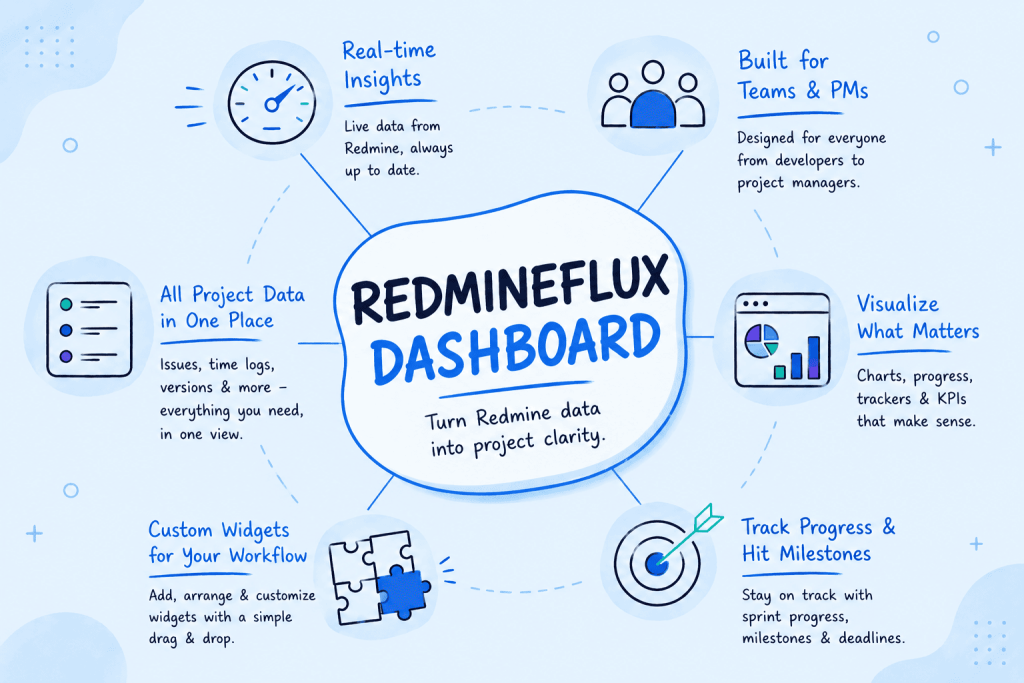
The Custom Dashboard Plugin adds a configurable dashboard layer on top of your existing Redmine data. No exports. No separate reporting tool. Just the data already in Redmine, assembled into the view you need.
The plugin adds a dashboard canvas where you place, resize, and arrange widgets by dragging. No technical configuration required the builder is fully point-and-click.
A project manager who wants sprint progress at the top and the time budget below it drags them into position in under a minute. In addition, each user gets their own layout a developer’s dashboard emphasises assigned issues and personal time logs, while a project manager’s dashboard shows sprint completion, open blockers, and milestone proximity. Same Redmine data, different angles.
Instead of flat issue lists, the plugin surfaces data as structured, scannable widgets:
Moreover, every widget links directly to the underlying filtered Redmine view. Clicking “overdue issues” opens the exact issue list no separate navigation step.
For managers overseeing multiple concurrent projects, the cross-project summary widget is the most valuable addition. It shows open issues, sprint completion rate, and hours logged for multiple projects in a single row.
Instead, project managers see every project’s status in one row no clicking through each project, no manual summary. That single view turns Redmine from a per-project tool into a portfolio-level management system.
Specifically, the plugin supports custom metric widgets built from Redmine’s query filters. A project manager can create a widget showing “critical priority open bugs right now” or “issues closed this sprint by the QA team” any filter combination the native query engine supports.
The result is a dashboard specific to how your team measures project health not a generic template applied uniformly to every project.
Running multiple client projects or managing cross-team delivery? See the cross-project dashboard configured for your use case →
Setup is configuration work, not development work. Three steps determine whether a dashboard becomes a daily tool or an ignored screen.
Before placing any widgets, write down what the dashboard must answer at a glance. For most project managers, those questions are:
Specifically, each question maps to a widget. For example, a dashboard built around sprint health and overdue issues stays useful long-term. However, a dashboard built by placing every available widget becomes noise within a week.
Therefore, the most effective setups create a separate view for each primary role:
| Role | Priority Widgets |
|---|---|
| Project Manager | Sprint progress, overdue issues, upcoming milestones, time vs. budget |
| Engineering Lead | Open issues by assignee, issues in Testing, blockers open 48h+ |
| Operations / Billing | Time logged by project, hours by activity type, open issues on billable work |
As a result, each role sees the data relevant to their decisions — without wading through metrics that do not apply to them.
Finally, configure each widget to match the cadence your team already uses. For instance, if your sprint review runs every two weeks, set the sprint widget to the current sprint period. Similarly, if billing runs monthly, set the time widget to show the current month. A dashboard that matches the actual reporting rhythm surfaces relevant data at the right moment not a snapshot that requires manual reinterpretation.
A well-configured dashboard is read before stand-up not built after one.
Want a guided setup for your team structure? We’ll walk through dashboard configuration in 30 minutes — book a demo →
The Custom Dashboard Plugin does not create a new data layer. It reads from the same issue records, time entries, and version milestones every other Redmine view uses which means it is always current.
When a developer closes an issue, the sprint widget updates. When someone logs time, the budget widget reflects it. No manual refresh. No sync delay.
Specifically, here is how the dashboard connects to the broader Redmine setup:
First, sprint and issue data flows from teams managing Kanban boards and Scrum sprints with daily delivery tracking. The sprint board work feeds the dashboard’s sprint progress and issue status widgets in real time.
Similarly, time and billing data comes from teams capturing billable hours with built-in approval and reporting workflows. Hours logged against issues appear in the dashboard’s time budget widgets no duplicate entry.
Additionally, release and milestone data comes from teams planning delivery timelines with dependencies and baselines. Version due dates populate the upcoming milestones widget automatically so project managers see release proximity on the dashboard without opening the Gantt separately.
Finally, capacity and workload data connects via the plugin that shows how work is distributed across each team member. Overloaded team members visible in the workload view are the same people whose overdue issues surface on the dashboard linking two signals that default Redmine keeps separate.
If you are on Redmineflux Managed Cloud, all four plugins come pre-installed and connected from day one. Dashboard setup begins immediately no installation steps, no version compatibility issues.
Common Questions
Does Redmine have a project dashboard?
Redmine includes a personal “My page” with basic widgets assigned issues, reported issues, calendar, and recent activity. It is a personal productivity view, not a project health view. The Redmineflux Custom Dashboard Plugin adds configurable project dashboards with sprint progress, time tracking, cross-project summaries, and KPI widgets built from live Redmine data.
Can I add custom widgets to Redmine?
However, not with native Redmine the “My page” widget set is fixed. Instead, the Custom Dashboard Plugin adds a drag-and-drop builder where you place, resize, and configure widgets specific to your project and role. In addition, you build custom metric widgets from any Redmine issue query filter, with no coding required.
Can Redmine show a dashboard across multiple projects?
However, native Redmine does not provide a visual cross-project summary. Instead, the Custom Dashboard Plugin includes a cross-project widget showing open issues, sprint completion, and hours logged across multiple projects in a single view without navigating to each project individually.
What is the difference between Redmine “My page” and the Custom Dashboard Plugin?
“My page” is a personal productivity view fixed widgets, personal scope, individual issue focus. The Custom Dashboard Plugin is a configurable project reporting layer drag-and-drop layout, project or cross-project scope, and widgets for sprint health, time budget, overdue issues, and milestones. Both pull from the same Redmine data.
Do dashboard changes affect Redmine performance?
No. The Custom Dashboard Plugin reads from Redmine’s existing database. Therefore, it does not introduce separate data stores or background sync processes. Dashboard load times match standard Redmine report pages.
Which Redmine versions does the Custom Dashboard Plugin support?
Redmineflux tests and supports the Custom Dashboard Plugin on Redmine 5.0.x, 5.1.x, and 6.0.x. Teams running Redmine 4.x should contact support before purchasing to confirm compatibility.
Redmine already has the data your team needs to manage projects well. Yet what it has lacked is a layer that makes that data readable at a glance structured around the questions each role actually asks, updated in real time, without exports or spreadsheets.
Fortunately, the Custom Dashboard Plugin adds that layer. As a result, project managers stop building manual summaries. Instead, stand-up starts with actual project data. Status calls run from the dashboard not from whoever prepared the update last night.
Explore the Custom Dashboard Plugin — configurable project visibility for Redmine
Related Reading