
Redmine Mentions – @mention any team member inside issues.
For project managers and engineers who need team communication inside Redmine, not scattered across chat threads.
no licence required
Free forever · open-source · install in 5 minutes
Today in Redmine
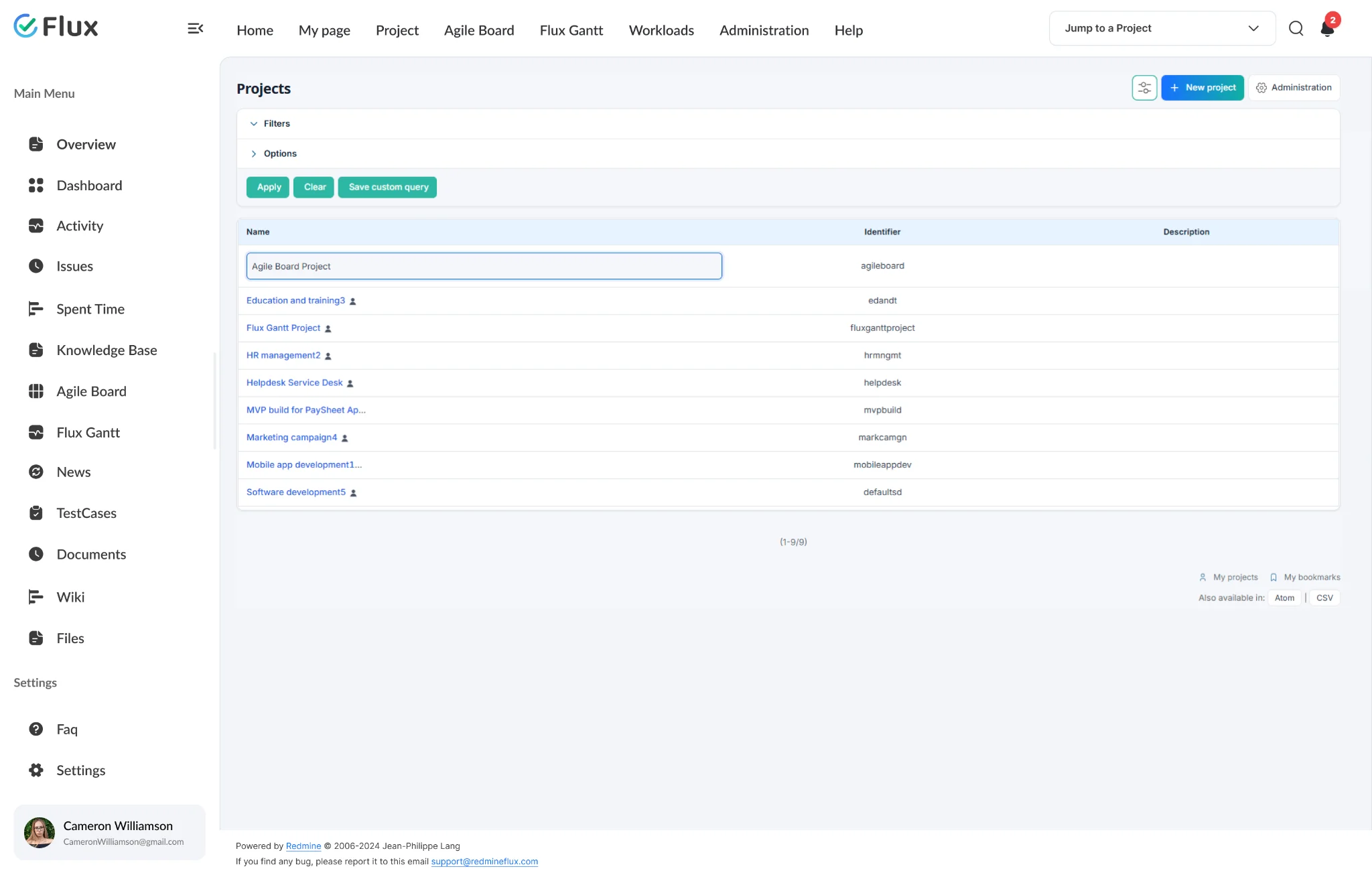
Directing attention requires stepping outside the issue – which is where context breaks down.
Without mentions inside Redmine, teams route attention through Slack, email, or a separate message – which means the conversation splits from the issue it concerns. The person contacted has to find the issue separately, often without the specific context that prompted the request. Decisions made outside the issue never return to it. The issue history is incomplete. Teams that scaled up discovered this first: communication overhead grows faster than the team does, because the gap between work and conversation about work keeps widening.
In plain words
What is the Redmineflux Mentions Plugin?
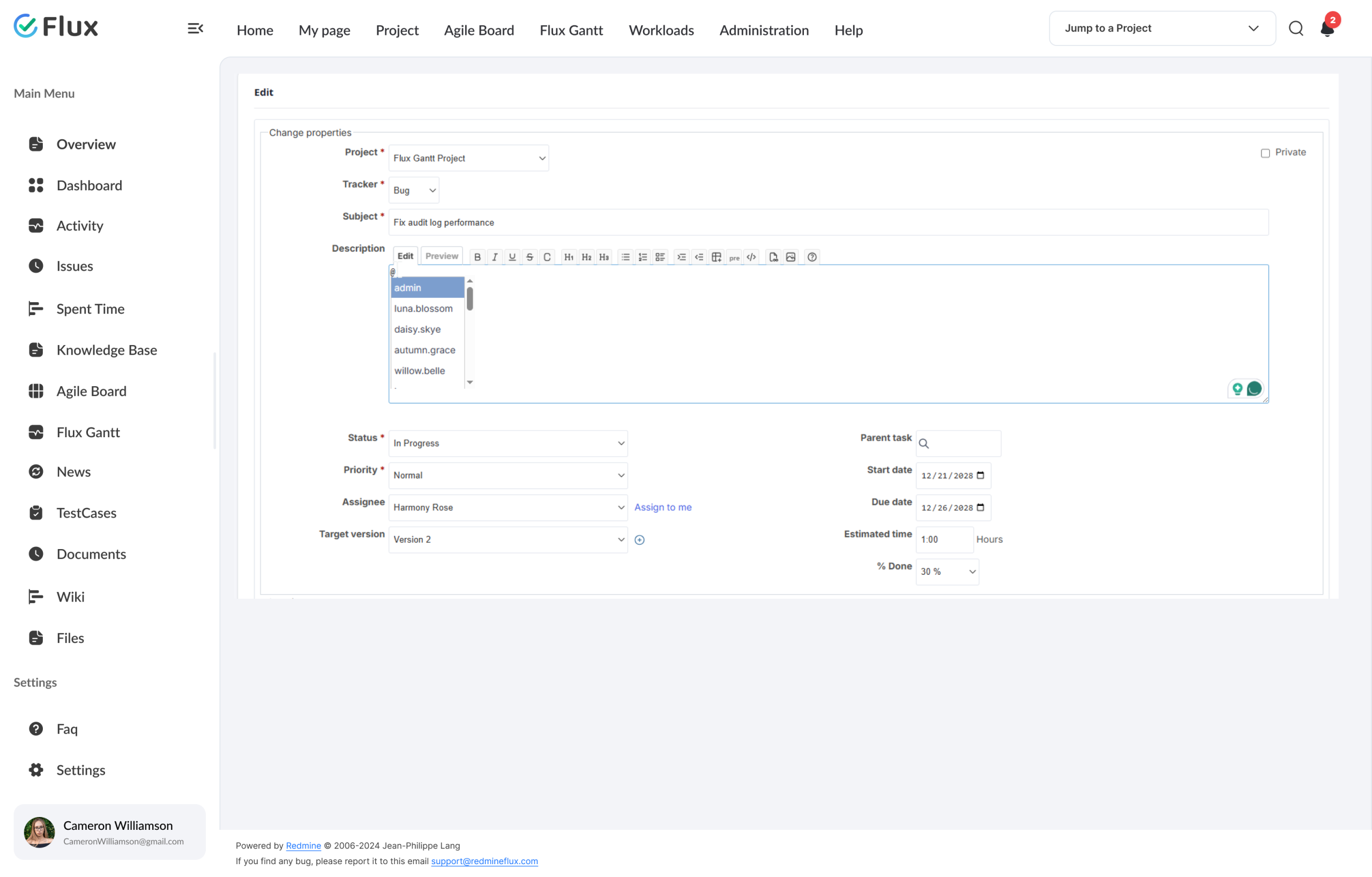
The Redmineflux Mentions Plugin adds @mention functionality to Redmine issue comments and descriptions. Type the mention symbol in any issue description, add note, or wiki page and select a user from the autocomplete dropdown. The mentioned user receives a notification email with the comment text and a direct link to the issue as soon as it is saved. Free to install, free forever.
The conversation stays in the issue.
Every @mention triggers a notification email to the mentioned user immediately on save. The mentioned person can navigate directly to the issue – no separate message required, no separate search to find the issue. The response happens in the comment thread, where the work lives. Teams that join the project later can see the full conversation without cross-referencing external chat tools.
The mention symbol is configurable – admins can choose from @, $, :, ~, !, or % to match the team’s preferred style. Email notifications sent to mentioned users can be disabled in Redmine’s notification settings for users who prefer other workflows.
What your team gains
The conversation stays in the issue, not in Slack.
Click any shift to see what changes in the product.
01
The right person is notified immediately.
@mention a team member and the notification arrives as soon as the comment saves. The notification includes a direct link to the issue.
02
No separate message needed to direct attention.
The @mention in the comment is the message. There is no copy-paste of the issue link, no separate Slack message, no email with context attached. The mention carries the context to the person – and puts the response back in the issue thread where it belongs.
03
Works in descriptions, notes, and wiki – wherever the work is documented.
@mentions work in issue descriptions when creating, in add notes when commenting, and in wiki pages for documentation. The same mention symbol triggers the same notification regardless of where it appears. Route attention from the context where the work is described – not from a separate message.
04
Communication stops drifting outside Redmine.
When the conversation happens in the issue comment, the decision is part of the issue record. Teams that previously had half their decisions in Slack and half in Redmine found that adoption of @mentions shifted the balance: discussions stay where the work is, and the issue becomes the single record of what happened.
05
Project history is readable for anyone who joins later.
When communication stays in Redmine, new team members onboard into a complete and readable project history. They can see every discussion thread without needing access to external Slack channels, email threads, or meeting notes that predate their joining.
Core capabilities
The specifics, for people who want them.
Direct any team member’s attention from inside an issue.
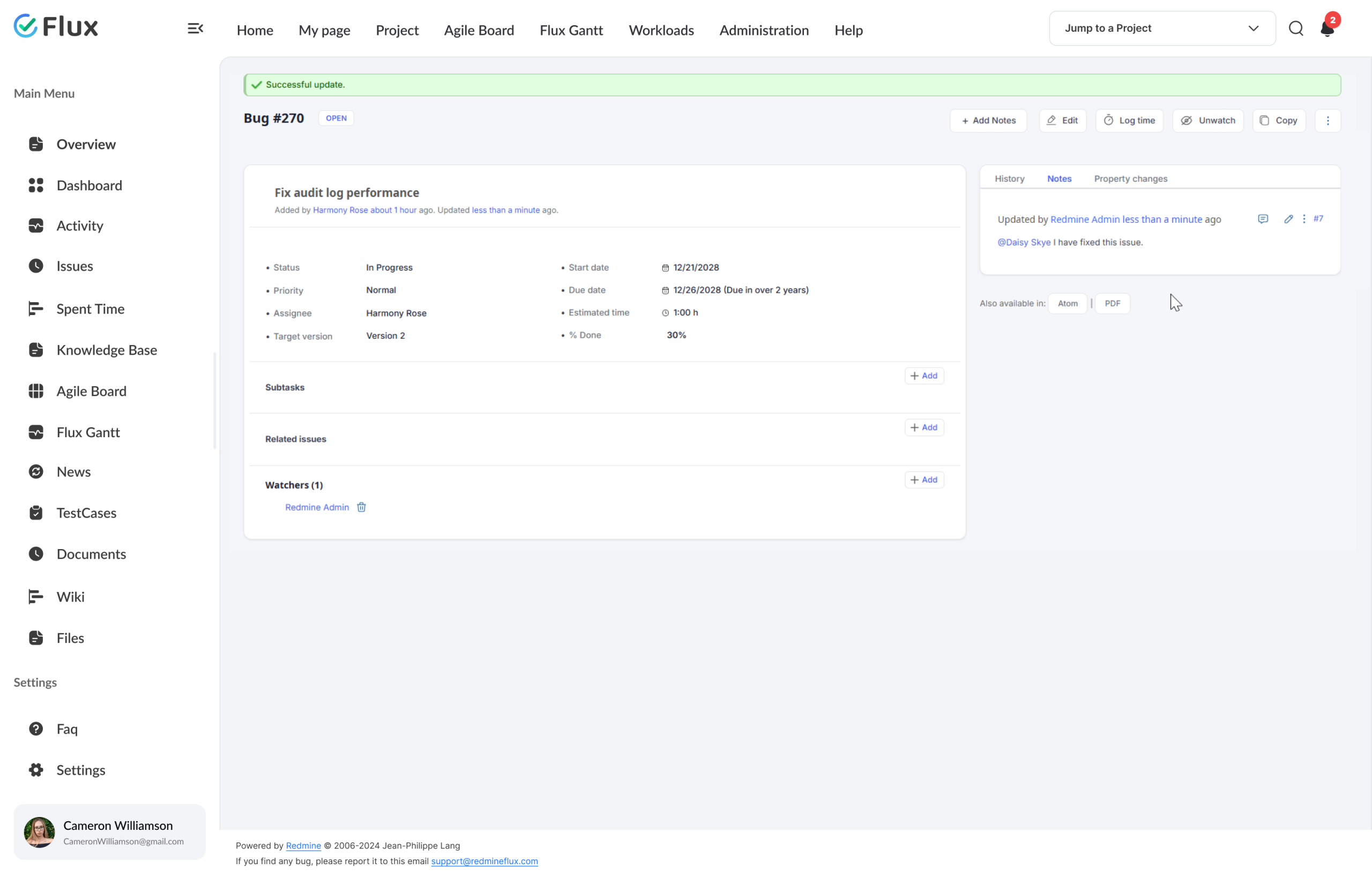
- Type @ in any comment or description to trigger user autocomplete
- Works in issue descriptions, add notes, and wiki pages
- Multiple @mentions per comment for simultaneous team involvement
- Mention syntax displays inline in rendered comments
- Notification email sent to the mentioned user immediately on save
Mentioned team members are notified immediately.
- Email notification includes comment text and a direct issue link
- Mention symbol configurable: @, $, :, ~, ! or % (admin setting)
- Users listed in autocomplete by their Redmine username
- Email notifications can be disabled in Redmine notification settings
- Works on all Redmine versions · free, no licence required
Configure the mention symbol and notification delivery to suit your team.
- Admin selects the mention symbol: @, $, :, ~, !, or % in plugin settings
- Notification email triggered on save – includes comment text and issue link
- Email notifications can be disabled in Redmine notification settings
- Works in issue descriptions, add notes, and wiki pages
- Free forever · no licence · install on any self-hosted Redmine instance
200+
teams trust Redmineflux worldwide
6 yrs
focused on Redmine, nothing else
5000+
plugin downloads powering real projects
We used to ping people in Slack to look at Redmine issues. Now we @mention them directly in the comment. The conversation stays in the issue – and the issue history is actually complete.
Deployment
Run it your way.
Managed Cloud
- Hosted by Redmineflux · included in every Cloud plan
- Daily backups · SLA-backed uptime
- No per-plugin licences – all-inclusive pricing
$1.99 / user / month
Get a Free Demo →Self-hosted
- Drop-in install on your own Redmine
- Free forever · no licence required
- Your infrastructure, your security perimeter
Free forever
Install on Redmine →Free forever, no licence required.
Role by role
What Mentions changes for each role.
Engineering LeadTeam coordination, escalations
Direct team member attention to blocking issues without Slack interruptions. The @mention arrives in Redmine and the response stays in the issue – no side channel required.
Project ManagerStakeholder involvement, reviews
Involve stakeholders and reviewers from within the issue – no separate conversation thread, no context loss when the stakeholder eventually reads the Slack message two hours later.
QA LeadBug assignment, test escalation
Mention developers directly on failing test issues for immediate action – the notification reaches the developer immediately so they can jump to the issue without a separate context message.
Support LeadEscalation routing
Loop technical team members into escalated tickets by @mentioning them in the issue comment – the notification email arrives immediately and the conversation stays in the issue thread.
Free forever, no licence required.
Pricing
Three ways to use Mentions.
Self-hosted
Mentions Plugin – free
Install on any self-hosted Redmine instance. No licence, no renewal, no expiry. Free forever.
Download free →Bundle with paid plugins
All Plugins Bundle
Mentions is already free. The All Plugins Bundle gives you every paid plugin at 10% off.
Save 10% See Bundle →Or use Managed Cloud
Redmineflux Cloud
Managed Redmine, no infrastructure work. Mentions is included as part of every Cloud plan.
See Cloud plans →Try it on your Redmine today
@mention is five minutes away.
Install the Mentions Plugin on your existing Redmine and see the first notification arrive. No trial period, no licence activation – it’s free.
Frequently asked
Frequently Asked Questions
The questions teams ask before adopting the Mentions Plugin. If yours isn’t here, check pricing or contact support.
Can I @mention someone who is not a watcher on the issue?
Yes. You can @mention any Redmine user by typing the mention symbol followed by their username in an issue description, add note, or wiki page. The mentioned user receives a notification email as soon as the comment or description is saved.
Can I customize the mention symbol?
Yes. From the plugin configuration page in Redmine administration, admins can select the symbol used for mentions. Available options are @, $, :, ~, !, and %. The change takes effect after saving and restarting Redmine.
Are mentions visible to all issue viewers?
Yes. Mention syntax in a comment is visible to anyone who can view the issue. The @username appears inline in the rendered comment. There is no private mention capability – all mentions are part of the issue’s visible record.
Which Redmine versions are supported?
The Redmineflux Mentions Plugin supports all Redmine versions. Compatibility is tested and maintained with each plugin update.