Fluxshot is a Chrome extension built for teams that use Redmine. Capture any part of your screen, annotate it with arrows, text, and highlights, then send it directly to Redmine as a new issue or an attachment on an existing one — without switching tools or describing what you can simply show.
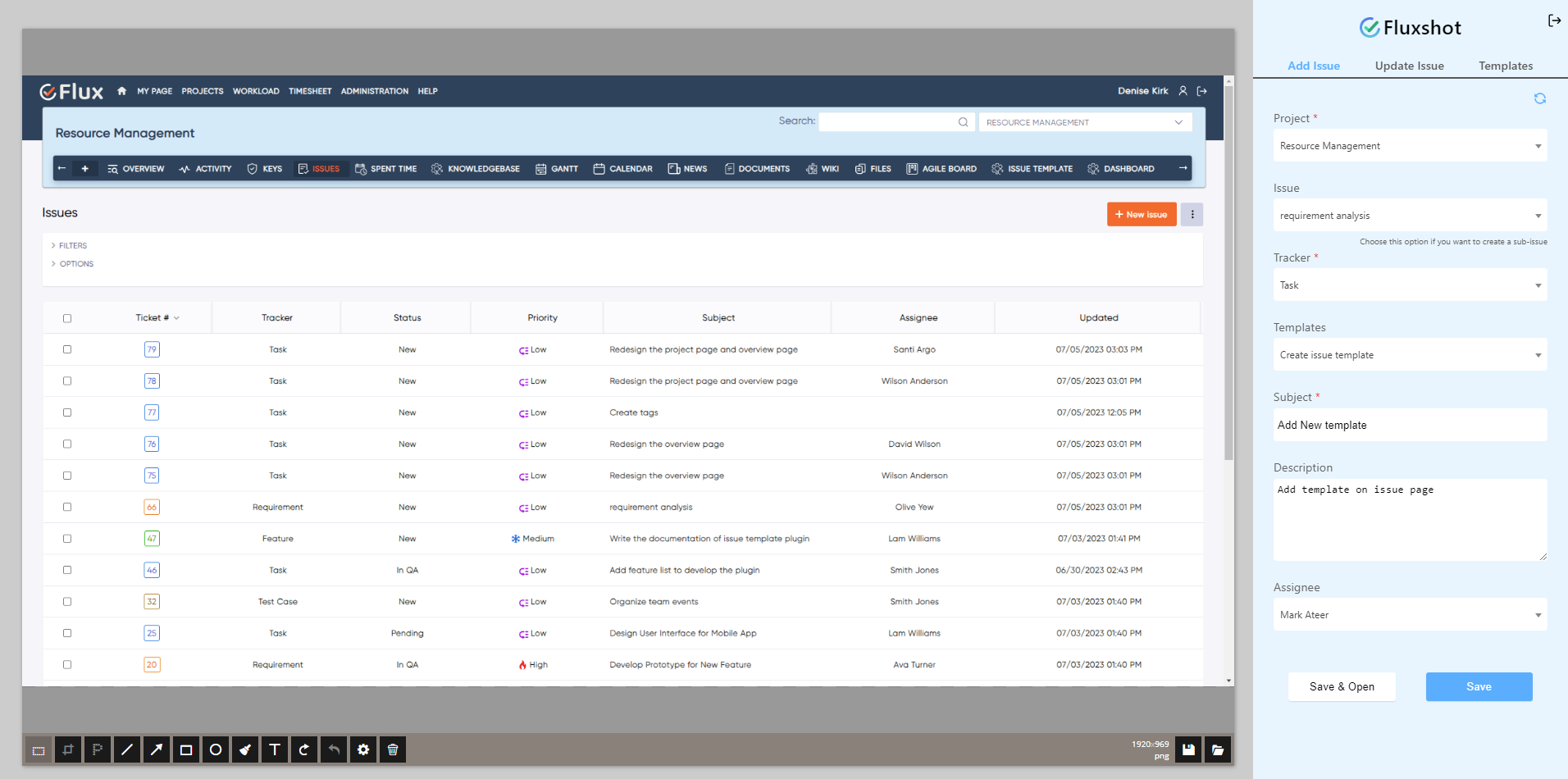
Without a built-in capture tool, bug reporting and feedback loops are slower than they need to be. Developers receive text descriptions of visual bugs that take three messages to understand because no screenshot was attached. Screenshots taken with system tools require manual upload to Redmine, which adds extra steps and loses the page context that explains what was happening at the time. No annotation capability means marking the exact problem area requires a separate image editor that most team members do not keep open. UI bugs get deprioritized because the effort to reproduce from a text description is too high — and the issue sits unresolved while the developer asks for more information.
Fluxshot is a Chrome browser extension built by Redmineflux to bring visual bug reporting directly into your Redmine workflow. Capture a full page, selected region, or browser viewport from any tab, annotate it with arrows and text, then submit directly to Redmine as a new issue or attachment — with page URL, browser version, and timestamp attached automatically. No separate tool. No upload step.
Fluxshot removes the gap between seeing a problem and reporting it. Every capture goes directly into Redmine with the full context of the page — URL, browser, timestamp — attached automatically. The developer who picks up the issue sees exactly what the reporter saw, with the problem area already marked. Fewer clarification rounds. Faster resolution. Teams using the Test Case Management Plugin can attach annotated screenshots directly to failing test issues for immediate developer handoff.
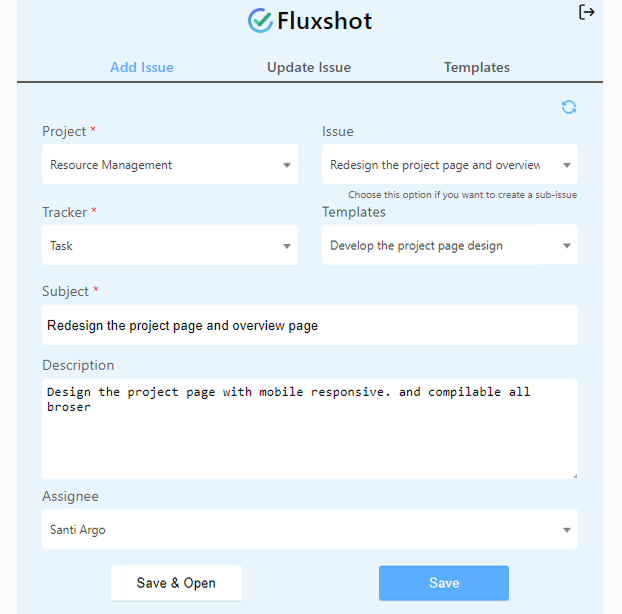
Capture and submit to Redmine in under 30 seconds from any browser tab. There is no save step, no navigate step, and no separate upload — the screenshot goes directly to Redmine with one click from inside the extension.
Mark arrows, add text labels, draw shapes, and highlight regions directly inside the extension. The problem area is marked before submission, so developers do not need to ask where to look.
URL, browser version, and timestamp are attached to every submission automatically. The developer receives the visual and the technical context together — without the reporter needing to type them manually.
Capture, annotate, and submit without leaving the page being tested. Teams running structured QA through the Checklist Plugin can attach captures to checklist step comments without losing their place in the test queue.
Developers who receive annotated screenshots resolve issues faster because the problem is visible, not described. Fewer back-and-forth comment cycles mean the issue moves to resolved sooner.

Project Manager, Newyork

Project Manager

Project Manager, Singapore

Project Lead, Spain

Team Lead, Rochester, U.S.

CEO, Brazil

Project Manager

Project Manager, Moscow, Russia


Redmineflux plugins have been a game-changer for our Redmine setup. The enhanced features like advanced time tracking, custom workflows, and improved reporting have significantly boosted our productivity. The integration was seamless, and the support team was fantastic. Highly recommend these plugins to any Redmine user!
Getting all of my business data organized in one place is all I wanted. With Redmineflux, I can filter data and simplify my agile operations.
Redmineflux themes have completely transformed the look and feel of our Redmine instance. We were looking for a way to make our Redmine more visually appealing and user-friendly, and these themes delivered on both fronts. The customization options are fantastic, allowing us to tailor the design to our company’s branding.
The Redmineflux Timesheet plugin has made it so much easier for our team to track their time. The ability to easily log time for multiple tasks at once and bulk edit or delete entries is a huge time saver.
Redmineflux Gantt Chart improved visibility and Efficiency, it provides a clear view of tasks, improves communication, & streamlines workflows for faster project completion.
Redmineflux themes are not just about aesthetics; they’re designed with user experience in mind. The improved navigation and clarity have streamlined our workflows significantly. The support team was also incredibly helpful in assisting us with customization.
Highly recommend!”
Redmineflux has an easy-to-use interface & is easily customizable. It helps active coordination and focuses project resources in one direction.
The self-hosted version of Redmineflux has transformed our enterprise project management. The customization options and reliable performance have greatly improved our workflows. The support team is responsive, ensuring our needs are met. Highly recommended for organization looking to streamline project management.
Fluxshot installs directly from the Chrome Web Store and connects to any Redmine instance via the Redmine REST API. No server-side installation is required on the Redmine side. Configuration takes under five minutes — enter the instance URL and API key in extension settings and the connection is live.
Fluxshot works natively with Redmineflux Managed Cloud instances. API access is pre-configured. Redmine is fully managed by the Redmineflux team. Your team installs the extension and begins reporting — no infrastructure configuration required.
| Role | What they gain |
|---|---|
| QA Lead | Annotated visual bug reports submitted to Redmine in seconds — no separate tool or upload step |
| Project Manager | Client feedback captured with full page context and attached to issues without back-and-forth |
| Engineering Lead | Developers receive fully contextualised visual bug reports — fewer clarification requests per issue |
| Support Lead | Customer-facing issues captured with full page context for immediate escalation to the development queue |
Does Fluxshot work with self-hosted Redmine instances?
Yes. Fluxshot connects to any Redmine instance — self-hosted or cloud — via the Redmine REST API. Enter your Redmine instance URL and an API key in the extension settings. No server-side plugin installation is required on the Redmine side.
Can I attach a screenshot to an existing Redmine issue instead of creating a new one?
Yes. After annotating your capture, Fluxshot gives you the option to create a new issue or attach to an existing one. Search by issue ID or title from within the extension, and the screenshot is attached to the existing issue immediately — no new issue is created.
Does the extension capture sensitive information automatically?
Fluxshot captures the visible content of the page you are on. For pages with sensitive data, use the built-in blur annotation tool to mask fields before submission. Automatic context metadata — URL, browser, timestamp — does not include credentials, session data, or form field content.
Is Fluxshot available for browsers other than Chrome?
Fluxshot is currently available as a Chrome extension and works in any Chromium-based browser including Microsoft Edge and Brave. A Firefox version is in the product roadmap. Check the Fluxshot product page for the current list of supported browsers.
How long are updates and support included with a plugin purchase?
Every Redmineflux plugin purchase includes 12 months of technical support, bug fixes, and both minor and major version updates. After the initial 12-month period, you can renew your subscription for 30% of the plugin price to continue receiving support, bug fixes, and future updates for another year.