

Help Desk Plugin for Redmine

$499 *
Buy Now

Helpdesk Plugin for Redmine

Streamline your support process by integrating a Helpdesk plugin in Redmineflux.

Redmine Version
$499 *
Buy Now
Knowledge Base
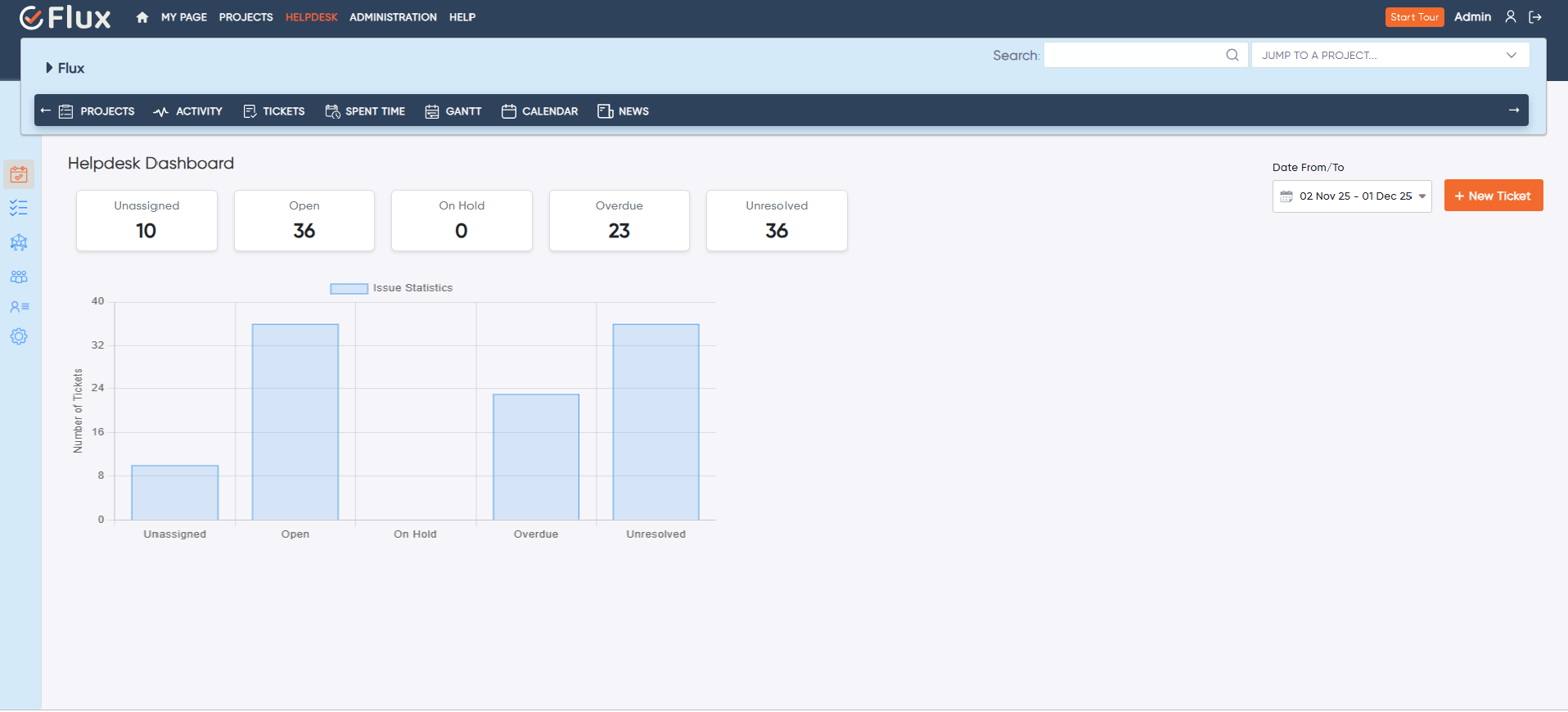
Helpdesk dashboard

Advanced Support for a Seamless Customer Experience

Enables users to create tickets from emails to resolve queries efficiently. Our Helpdesk plugin allows customers to submit queries as tickets, which can be quickly addressed. You can also add a ‘Knowledge Base’ feature to improve self-service options for customers.

Efficient Ticket Management

Enables efficient customer support ticket management.

Enhanced Customer Satisfaction

Helps improve customer satisfaction by providing timely responses.

Self-Service Support

Reducing the workload on the support team.

updated

Advanced support for a seamless customer experience

Enables users to create tickets from emails to resolve queries efficiently. Our Helpdesk plugin allows customers to submit queries as tickets, which can be quickly addressed. You can also add a ‘Knowledge Base’ feature.

Efficient ticket management

 Enables efficient customer support ticket management.

Enhanced customer satisfaction

Helps improve customer satisfaction by providing timely responses.

Self-Service support

Reducing the workload on the support team.

Simplify Customer Support with Helpdesk Plugin

redmineflux helpdesk plugin ticket creation

Easy Ticket Management

Efficiently manage, track, and resolve customer tickets with enhanced ticketing features.

Automatic Notification to the Assignee

When a ticket is raised, it is assigned to the relevant person based on priority.
redmineflux helpdesk plugin auto email threading
Query Resolution

Accelerate Query Resolution

Speed up the resolution of customer queries with features that ensure efficient ticket assignment, notifications, and workflow automation.

Easy Integration with existing tools and systems, including knowledge bases, for a cohesive support ecosystem.

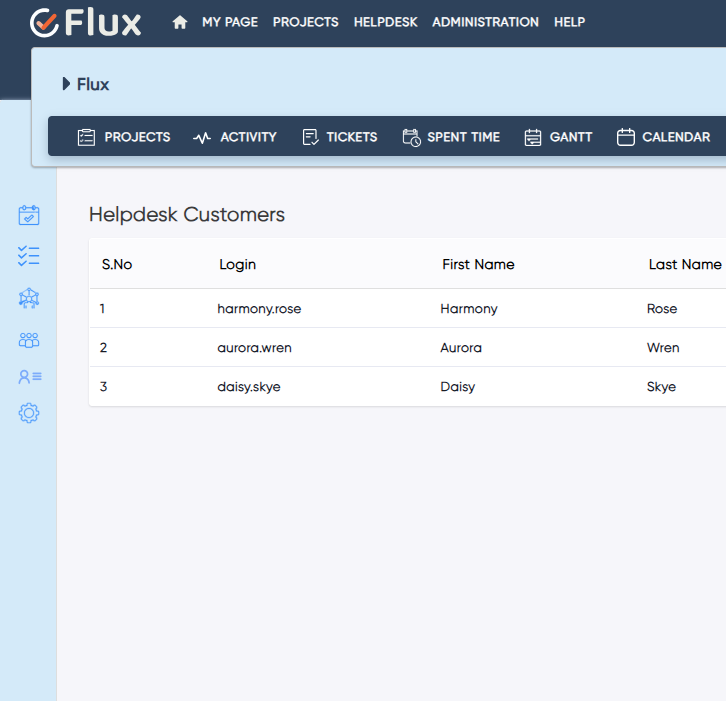
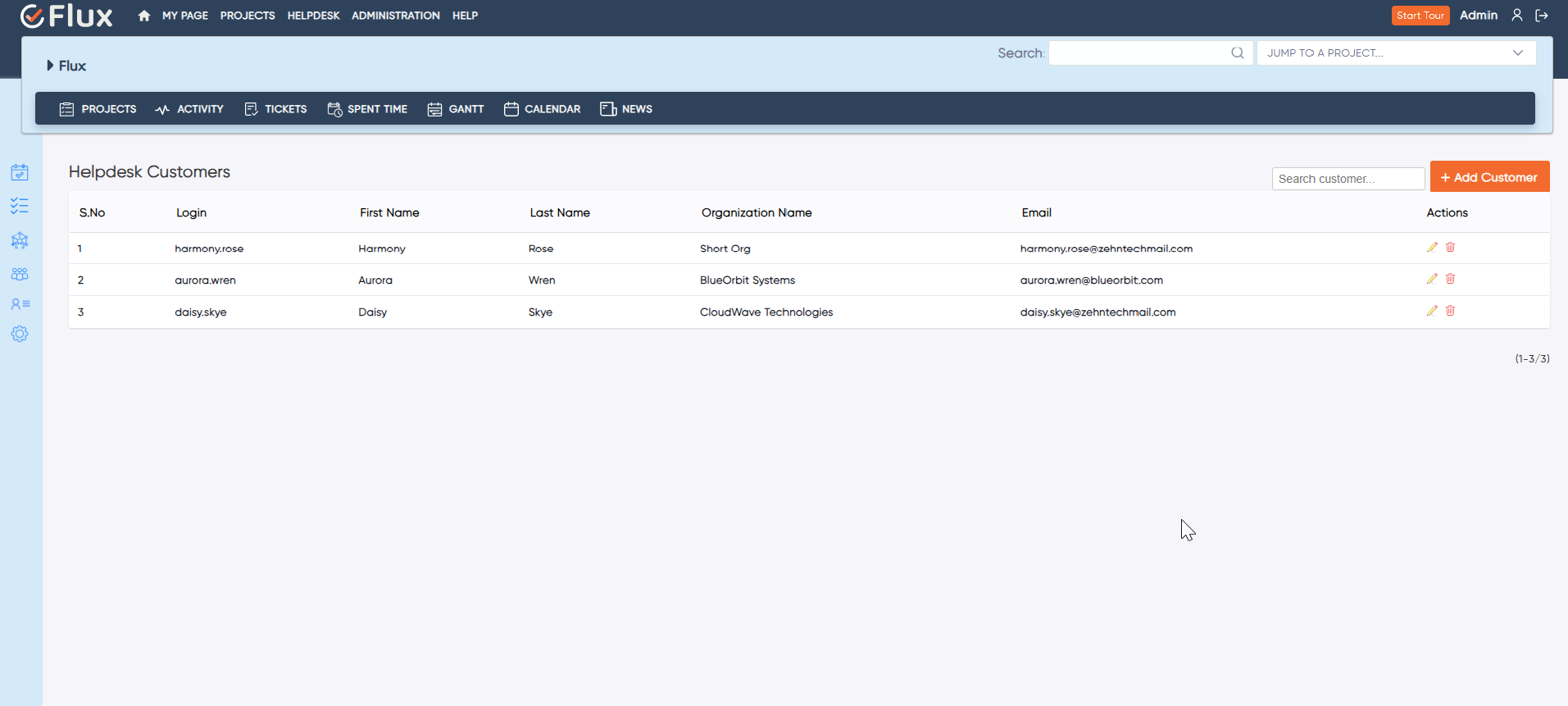
Enhanced Contact Management

Simplify customer interaction by gaining complete control over customer data and managing contacts efficiently.
helpdesk plugin customer
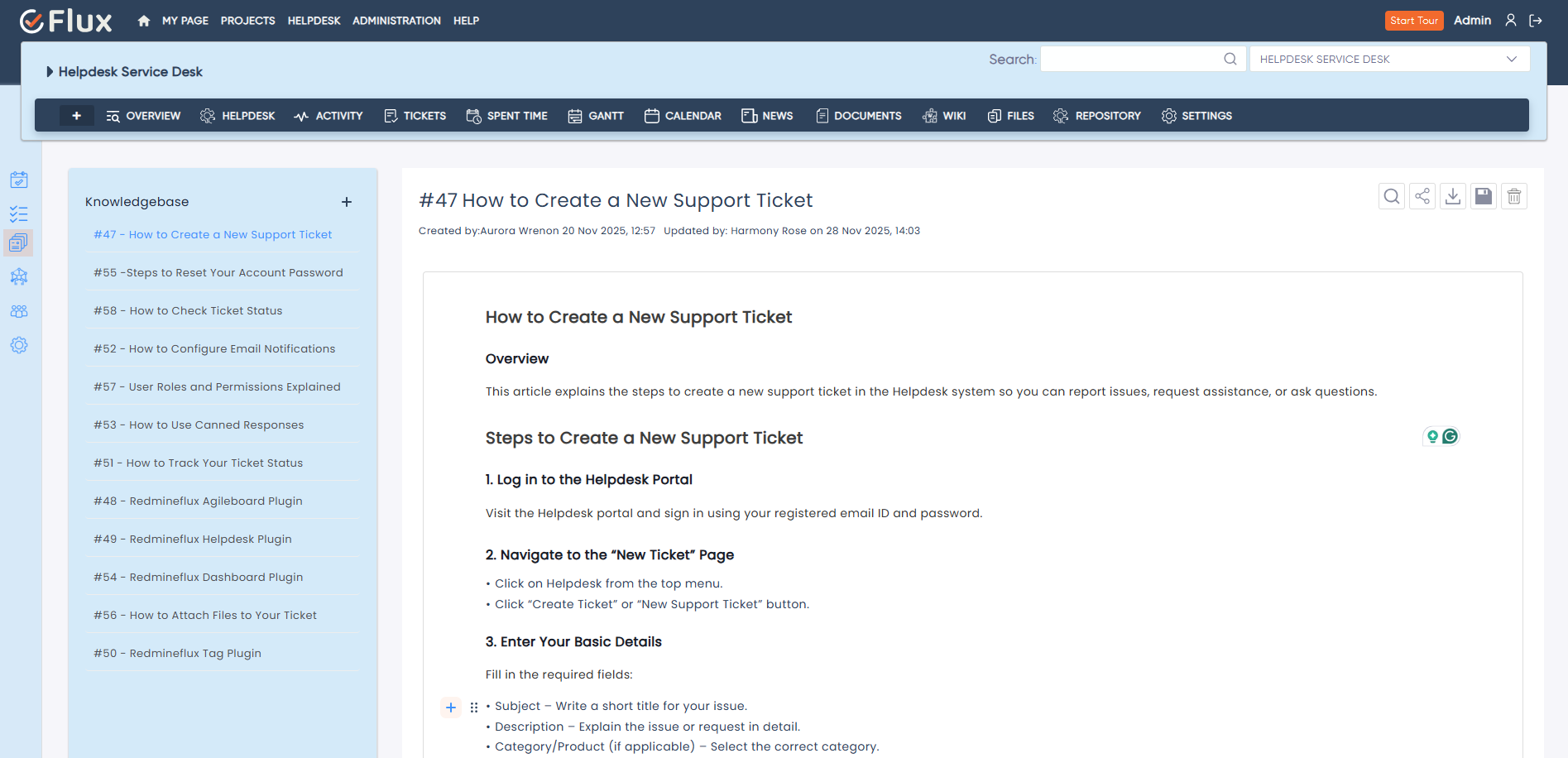
redmineflux helpdesk plugin knowledgebase

Knowledge Management

A complete Knowledge base system inside your plugin

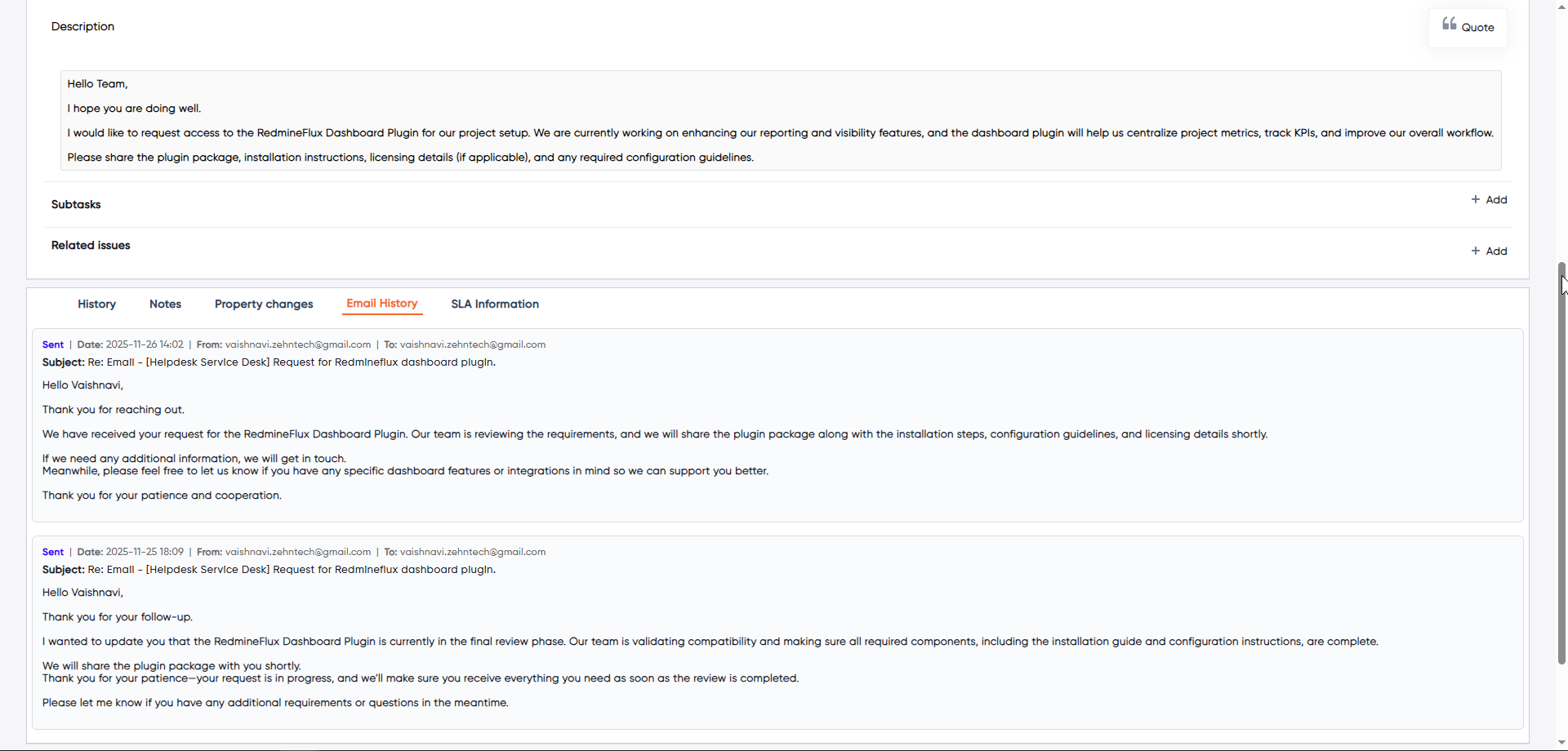
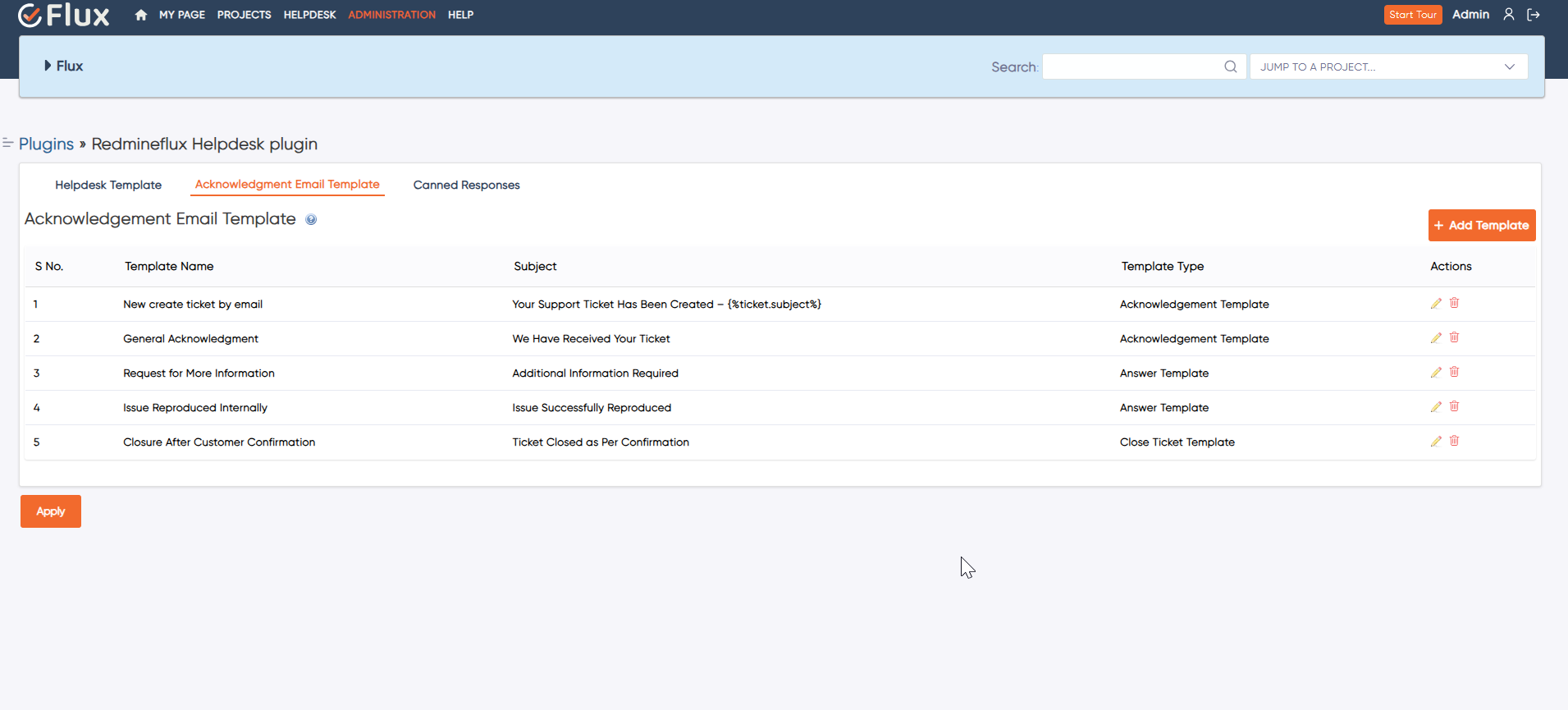
Email Management

Efficiently handle communication with robust email-related features designed to streamline interactions.
redmineflux helpdesk plugin email template
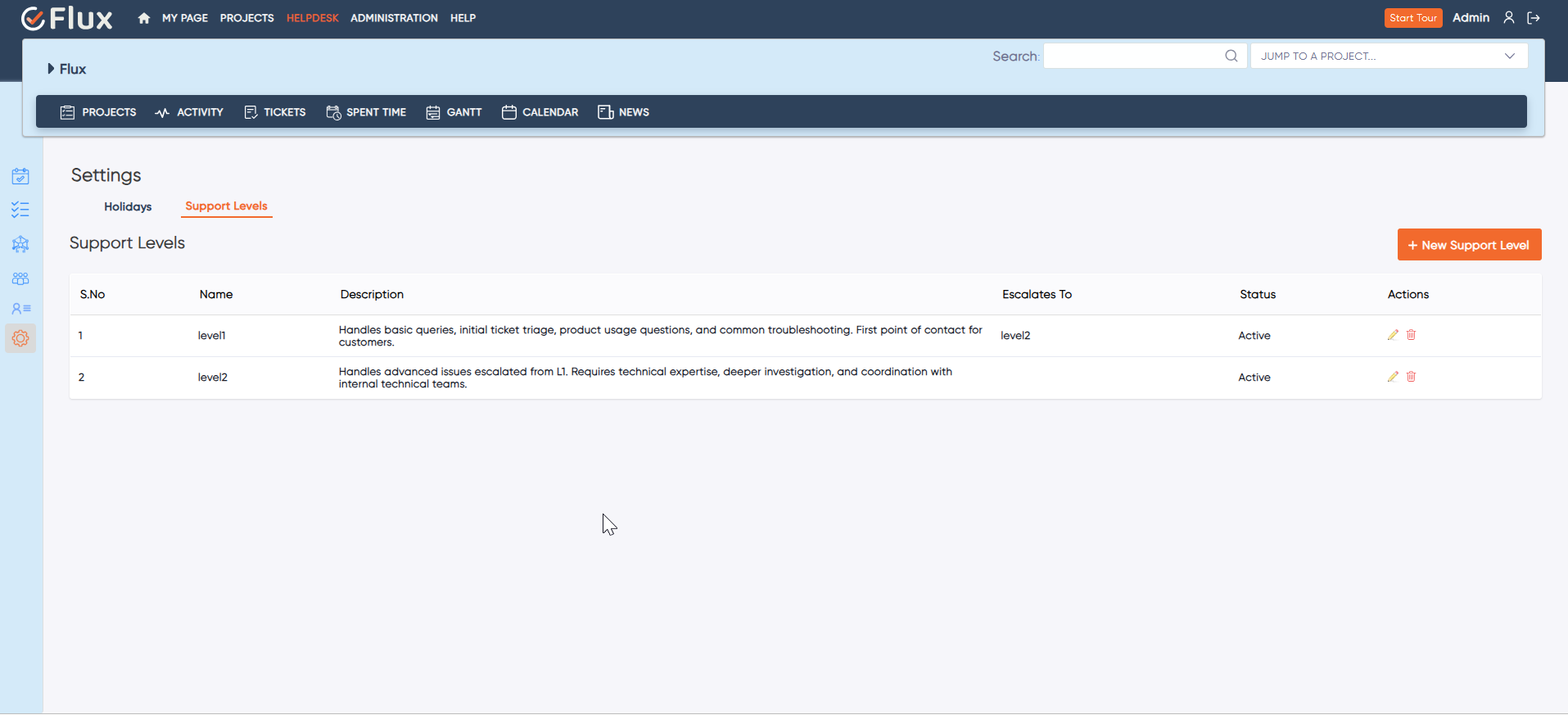
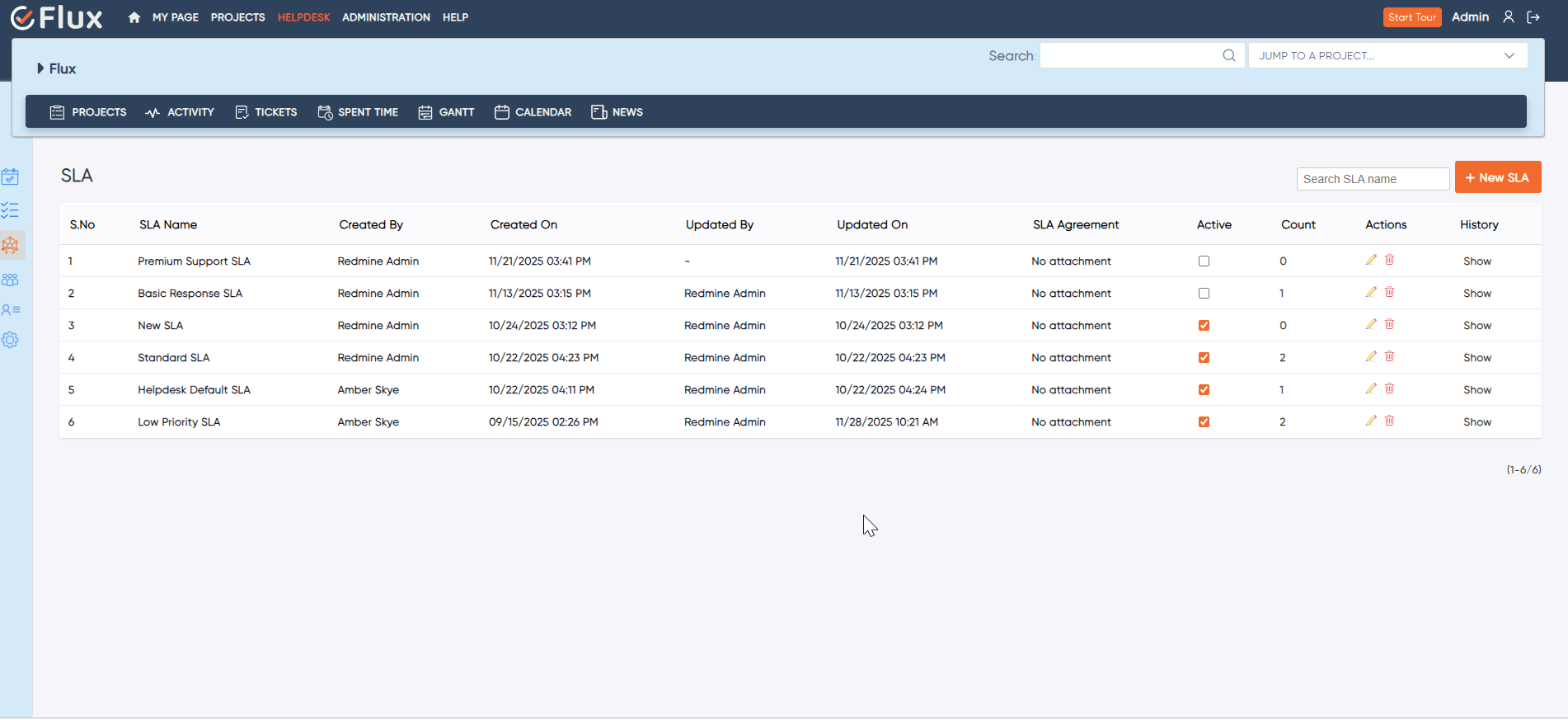
redmineflux helpdesk plugin sla

SLA and Workflow Automation

Ensure service standards are maintained while automating workflows to maximize efficiency.

Help Desk Plugin Compared To Others

Easy Redmine

$299
  • Clean UI (theme)
  • Advanced System menu & Plugin list
  • Company logo upload option
  • Definable priority colors
  • One-click issue edit

Flux UX Plugin

$199
  • Clean UI (theme)
  • Advanced System menu & Plugin list
  • Company logo upload option
  • Definable priority colors
  • One-click issue edit

Planio

$299
  • Clean UI (theme)
  • Advanced System menu & Plugin list
  • Company logo upload option
  • Definable priority colors
  • One-click issue edit

Testimonial

What people are saying!

Redmineflux plugins have been a game-changer for our Redmine setup. The enhanced features like advanced time tracking, custom workflows, and improved reporting have significantly boosted our productivity. The integration was seamless, and the support team was fantastic. Highly recommend these plugins to any Redmine user!

profile

Alex Tucker

Project Manager, Newyork

Getting all of my business data organized in one place is all I wanted. With Redmineflux, I can filter data and simplify my agile operations.

profile

Alfred Fleischer

Project Manager

Redmineflux themes have completely transformed the look and feel of our Redmine instance. We were looking for a way to make our Redmine more visually appealing and user-friendly, and these themes delivered on both fronts. The customization options are fantastic, allowing us to tailor the design to our company’s branding.

profile

Chen Jun Hao

Project Manager, Singapore

The Redmineflux Timesheet plugin has made it so much easier for our team to track their time. The ability to easily log time for multiple tasks at once and bulk edit or delete entries is a huge time saver.

profile

Emily Garcia

Project Lead,Spain

Redmineflux Gantt Chart improved visibility and Efficiency, it provides a clear view of tasks, improves communication, & streamlines workflows for faster project completion.

profile

Maria Rodriguez

Team Lead,Rochester,U.S.

Redmineflux themes are not just about aesthetics; they’re designed with user experience in mind. The improved navigation and clarity have streamlined our workflows significantly. The support team was also incredibly helpful in assisting us with customization.

Highly recommend!”

profile

Marlena Sievers

CEO, Brazil

Redmineflux has an easy-to-use interface & is easily customizable. It helps active coordination and focuses project resources in one direction.

profile

Safra Barra

Project Manager

The self-hosted version of Redmineflux has transformed our enterprise project management. The customization options and reliable performance have greatly improved our workflows. The support team is responsive, ensuring our needs are met. Highly recommended for organization looking to streamline project management.

profile

Samantha Lone

Project Manager, Moscow, Russia

image 25

Enhance collaboration, elevate productivity, & meet goals with Redmineflux.

Enhance collaboration, elevate productivity, & meet goals with Redmineflux.

FAQ’s

The Redmineflux’s Helpdesk plugin is only available for Redmine users who are already using Redmine and Redmineflux. They can easily integrate the plugin into their Redmine & Redmineflux project management tools and utilize its features.

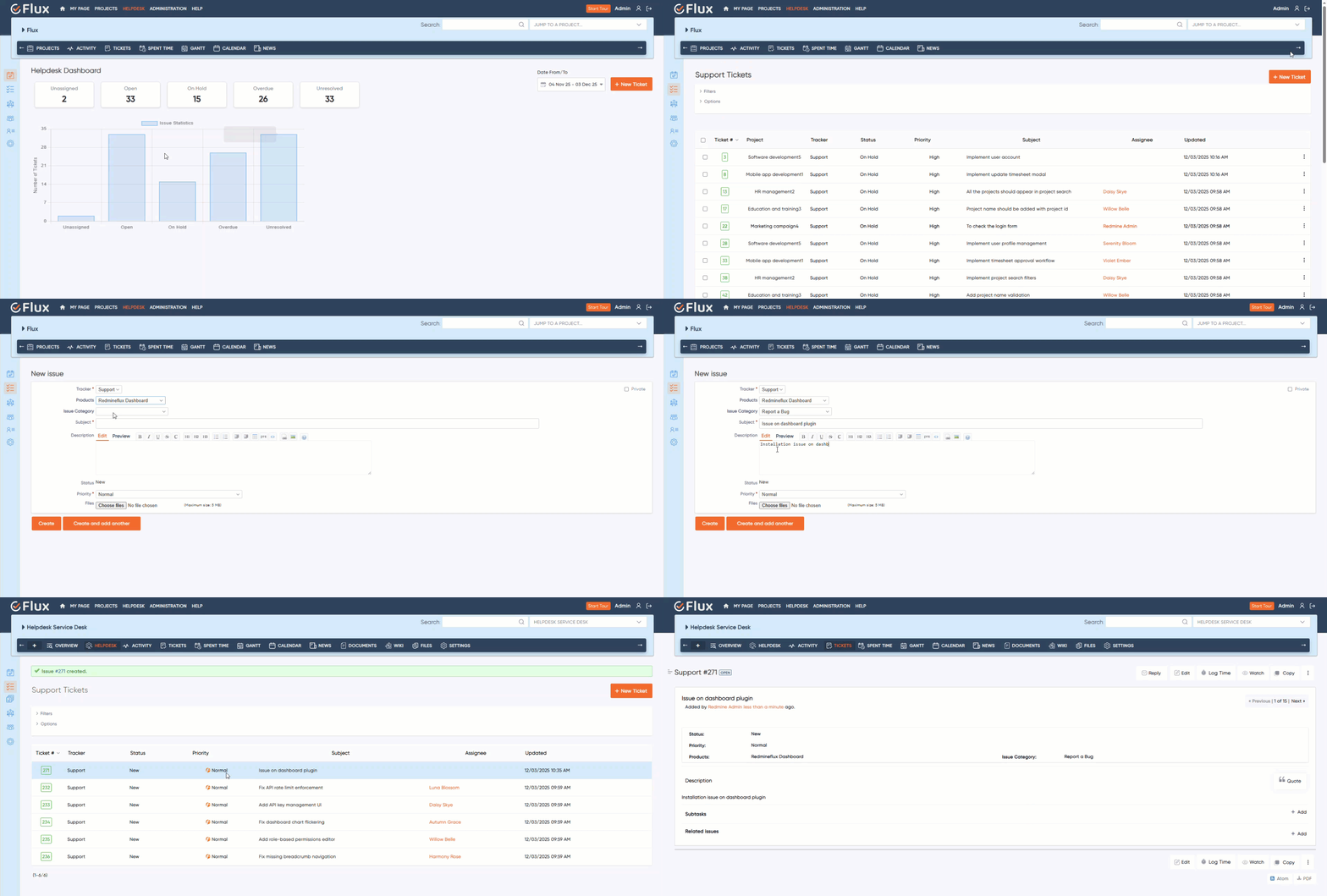
There are two ways to create a ticket using the Helpdesk plugin:

  1. Create a Ticket via Email
    You can raise a ticket by sending an email to the support email address configured in the plugin. The email subject automatically becomes the ticket subject, and the email body is added as the ticket description.

  2. Create a Ticket from the Redmine Helpdesk Panel
    You can also create a ticket directly from your Redmine environment. Simply click on “Helpdesk” in the menu and then select “New Ticket.” Fill in the required details such as Subject, Description, Tracker, Priority, and Status to submit the ticket manually.

Yes, you can view the status of your ticket by logging in to the Redmine environment and checking the ticket details page.

Yes, you will be notified via email when your ticket is resolved by the admin. You can also view the resolution details by checking the ticket details page in the Redmine environment.

Subscribe to our newsletter

Get the latest news & updates on Redmineflux delivered straight to your inbox.