The Redmineflux Redmine Test Case Management Plugin adds structured test planning, execution tracking, and QA reporting directly inside Redmine. Manage your entire testing workflow in the same environment where development happens — without a separate test management tool.
When test management lives outside Redmine, traceability breaks and reporting overhead grows in ways that affect every release cycle. Test cases managed in spreadsheets have no structural link to the development issues in Redmine — which means coverage gaps go undetected until after release. Test results require manual reconciliation into reports before every release gate or compliance audit. Bug-to-test linkage is manual and error-prone, so QA leads cannot reliably determine which bugs are connected to which test failures. Teams lose time switching between tools that should share the same project context.
The Redmineflux Test Case Management Plugin is a structured QA workflow tool built natively inside Redmine. It lets QA teams create test cases, organise them into suites and plans, execute tests with tracked results, and link bugs directly to failing tests — all within the Redmine instance where development work is already managed.
The Test Case Management Plugin enhances Redmine without replacing it. Every test case links to the requirement or feature issue it covers. Every bug links to the test that found it. QA cycle progress is visible inside standard project and delivery views without switching tools. Teams that previously managed testing in a spreadsheet alongside Redmine can consolidate QA into the same environment where development, planning, and delivery tracking already happen. The result is full traceability from requirement to test to release, with audit-ready records available without manual compilation.
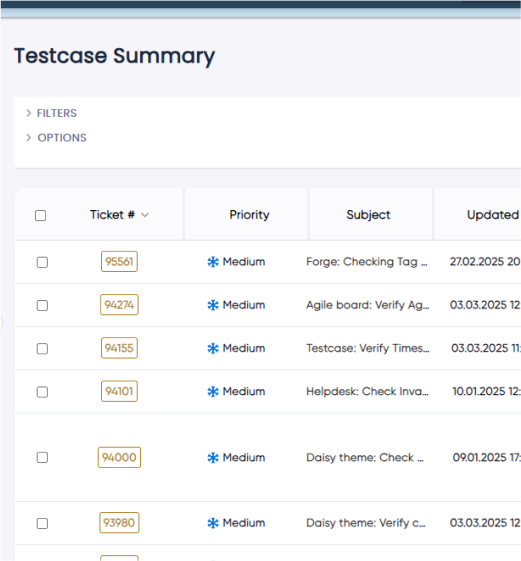
Test cases link to the Redmine issues and requirements they cover. Failing tests link directly to the bugs they generate. This bidirectional traceability means coverage gaps are visible before release, not discovered after a production incident.
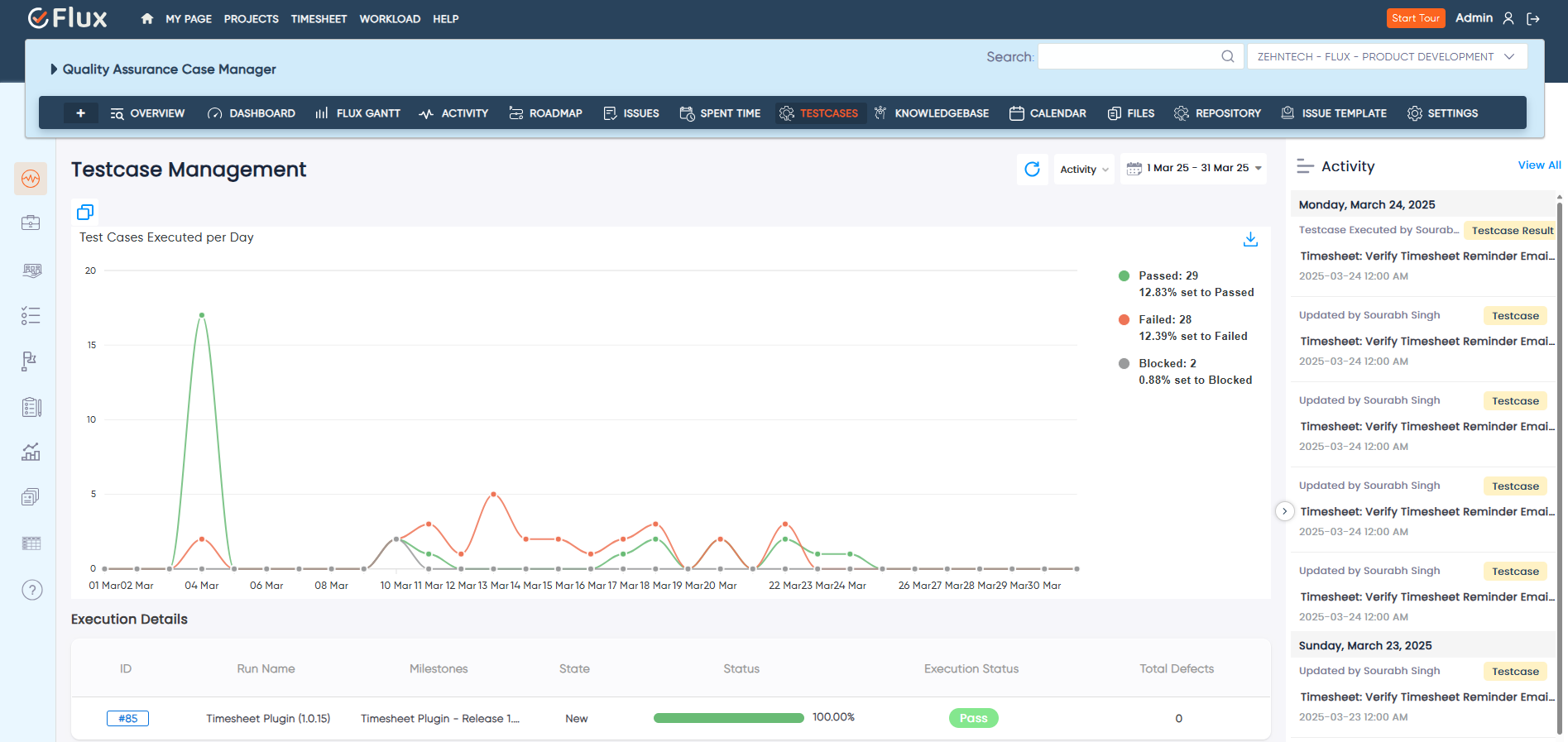
Test execution results, pass rates, coverage summaries, and trend data are available on demand inside Redmine. There is no preparation step required before a release gate or compliance review — the data is already structured and exportable.
Testing progress appears in the same project environment used by the whole delivery team. Project managers and delivery leads can see QA status alongside development progress without requesting a separate report from the QA lead.
Bugs created directly from a failing test step carry the test case context, steps, and failure notes pre-filled into the new Redmine issue. Developers receive more useful bug reports, and QA leads spend less time documenting failures they have already captured during execution.
Development issues, QA plans, test execution results, and bug reports all live in the same Redmine instance. The overhead of maintaining synchronisation between separate development and test management systems is eliminated.
The Test Case Management Plugin integrates with the full Redmineflux development workflow. Test case creation links directly to Redmine issues managed through the core issue tracker. Use the Issue Template Plugin to pre-populate test case references in feature issues at creation time. Link QA completion steps in the Checklist Plugin to specific test plan execution milestones. Surface test execution summaries in project views via the Dashboard Plugin.

Project Manager, Newyork

Project Manager

Project Manager, Singapore

Project Lead, Spain

Team Lead, Rochester, U.S.

CEO, Brazil

Project Manager

Project Manager, Moscow, Russia


Redmineflux plugins have been a game-changer for our Redmine setup. The enhanced features like advanced time tracking, custom workflows, and improved reporting have significantly boosted our productivity. The integration was seamless, and the support team was fantastic. Highly recommend these plugins to any Redmine user!
Getting all of my business data organized in one place is all I wanted. With Redmineflux, I can filter data and simplify my agile operations.
Redmineflux themes have completely transformed the look and feel of our Redmine instance. We were looking for a way to make our Redmine more visually appealing and user-friendly, and these themes delivered on both fronts. The customization options are fantastic, allowing us to tailor the design to our company’s branding.
The Redmineflux Timesheet plugin has made it so much easier for our team to track their time. The ability to easily log time for multiple tasks at once and bulk edit or delete entries is a huge time saver.
Redmineflux Gantt Chart improved visibility and Efficiency, it provides a clear view of tasks, improves communication, & streamlines workflows for faster project completion.
Redmineflux themes are not just about aesthetics; they’re designed with user experience in mind. The improved navigation and clarity have streamlined our workflows significantly. The support team was also incredibly helpful in assisting us with customization.
Highly recommend!”
Redmineflux has an easy-to-use interface & is easily customizable. It helps active coordination and focuses project resources in one direction.
The self-hosted version of Redmineflux has transformed our enterprise project management. The customization options and reliable performance have greatly improved our workflows. The support team is responsive, ensuring our needs are met. Highly recommended for organization looking to streamline project management.
When deployed on your own infrastructure, your team manages server uptime, Redmine upgrades, backups, and plugin compatibility. The Test Case Management Plugin adds structured QA workflow without changing who owns the infrastructure. Full control stays with your team.
The Test Case Management Plugin runs within Redmineflux Managed Cloud. Infrastructure is fully managed by the Redmineflux team. Updates are automated, backups are secured, and uptime is SLA-backed. If infrastructure management is overhead your team does not need, Redmineflux Managed Cloud transfers that responsibility entirely.
| Role | What they gain |
|---|---|
| QA Lead | Structured test management, execution tracking, and QA reporting inside Redmine |
| Engineering Lead | Full traceability between code changes, test coverage, and bug resolution |
| Project Manager | QA progress and release readiness visible inside standard project delivery views |
| IT Director | Compliance-ready QA records, audit export, and structured test governance |
Can test cases be linked to specific issues or requirements?
Yes. Test cases in the Redmineflux Test Case Management Plugin can be linked directly to Redmine issues and requirements. This creates bidirectional traceability — you can see which issues are covered by tests and which tests are associated with a given issue or feature. When a linked issue is resolved, the association is reflected in the test case record.
Does the plugin support multiple test environments?
Yes. Test plans support multiple environments — staging, production, browser-specific configurations, and others — within a single plan execution. Results are tracked separately per environment, so teams can compare pass rates across configurations and identify environment-specific failures without managing entirely separate test plans for each environment.
Can I export test reports for compliance audits?
Yes. Test execution reports export in PDF, Excel, or CSV format. Reports include execution summaries, step-level results, pass/fail rates, and bug linkage data. These exports are structured for direct use in compliance audits, release sign-off documentation, and client delivery reviews without requiring manual formatting.
Which Redmine versions are supported?
The Redmineflux Test Case Management Plugin is tested and maintained against the three most recent stable Redmine releases. Compatibility is verified with each plugin update. Check the plugin documentation for the confirmed supported version list before installing on your instance.