
Redmine’s default interface is functional but plain, and it looks it which is exactly why a Redmine theme is usually one of the first changes a team makes once they’ve settled on Redmine as their tracker. The question isn’t really “should we theme it,” it’s which theme actually solves the problem you have.
Quick answer: Redmineflux offers three Redmine themes Daisy (light & dark UI), Scarlet (professional light UI), and Lotus (structural redesign with sidebar navigation and colour-coded tracker borders). Each is $99 standalone, or with any plugin Bundle.
Redmineflux offers three: Daisy, Scarlet, and Lotus. They’re not interchangeable skins with the same underlying layout in different colors each one solves a genuinely different problem, and picking the wrong one means you’ve spent money on a visual refresh when what you actually needed was a layout change, or vice versa.
What a Redmine Theme Actually Changes
A theme changes how Redmine looks and how information is laid out on screen. It’s an admin-level setting, not a data change switching themes doesn’t touch your issues, your workflows, or your plugin configuration, which is part of why it’s a low-risk thing to try. What a theme doesn’t do is add new functionality; that’s what a plugin does. If what you actually need is new capability rather than a visual refresh, the full plugin catalogue is the place to look. This post is specifically about the visual and structural layer, not features.
Do You Need a Theme If You Already Have Plugins Installed?
Yes, if you want one themes and plugins are independent layers that work together rather than compete. Installing the Redmineflux plugin suite doesn’t give you a themed interface automatically, and installing a theme doesn’t add plugin functionality. If you’re already running plugins like Agile Board or Custom Dashboard and finding the visual layout hard to scan, Lotus specifically addresses that on top of whatever plugins you already have the two aren’t an either/or decision.
Daisy Theme — Clean Light & Dark UI for Everyday Use
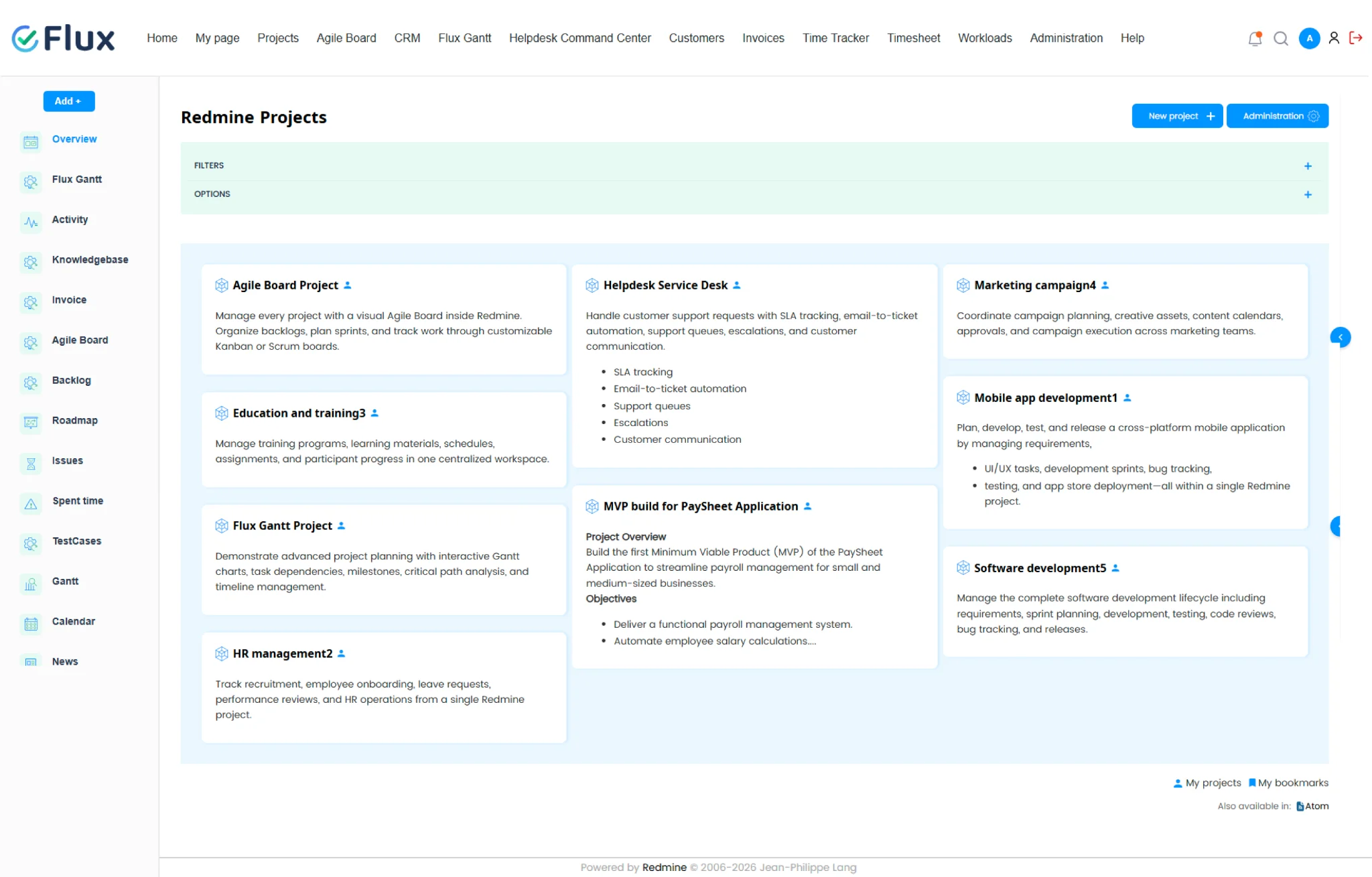
Daisy is built for Redmine teams of 10–300 who want a clean, light & dark interface without visual clutter. It’s the straightforward option: a modern light & dark UI for teams whose only real complaint about Redmine is that it looks dated, not that it’s organized badly. If your team is happy with how Redmine structures information and just wants it to look current, Daisy is the lower-risk, lower-commitment choice of the three a visual refresh, nothing more, nothing less.
Already know which one fits? See it live before you buy. → Get a Free Demo
Scarlet Theme — Dark UI for Teams That Live in Redmine All Day
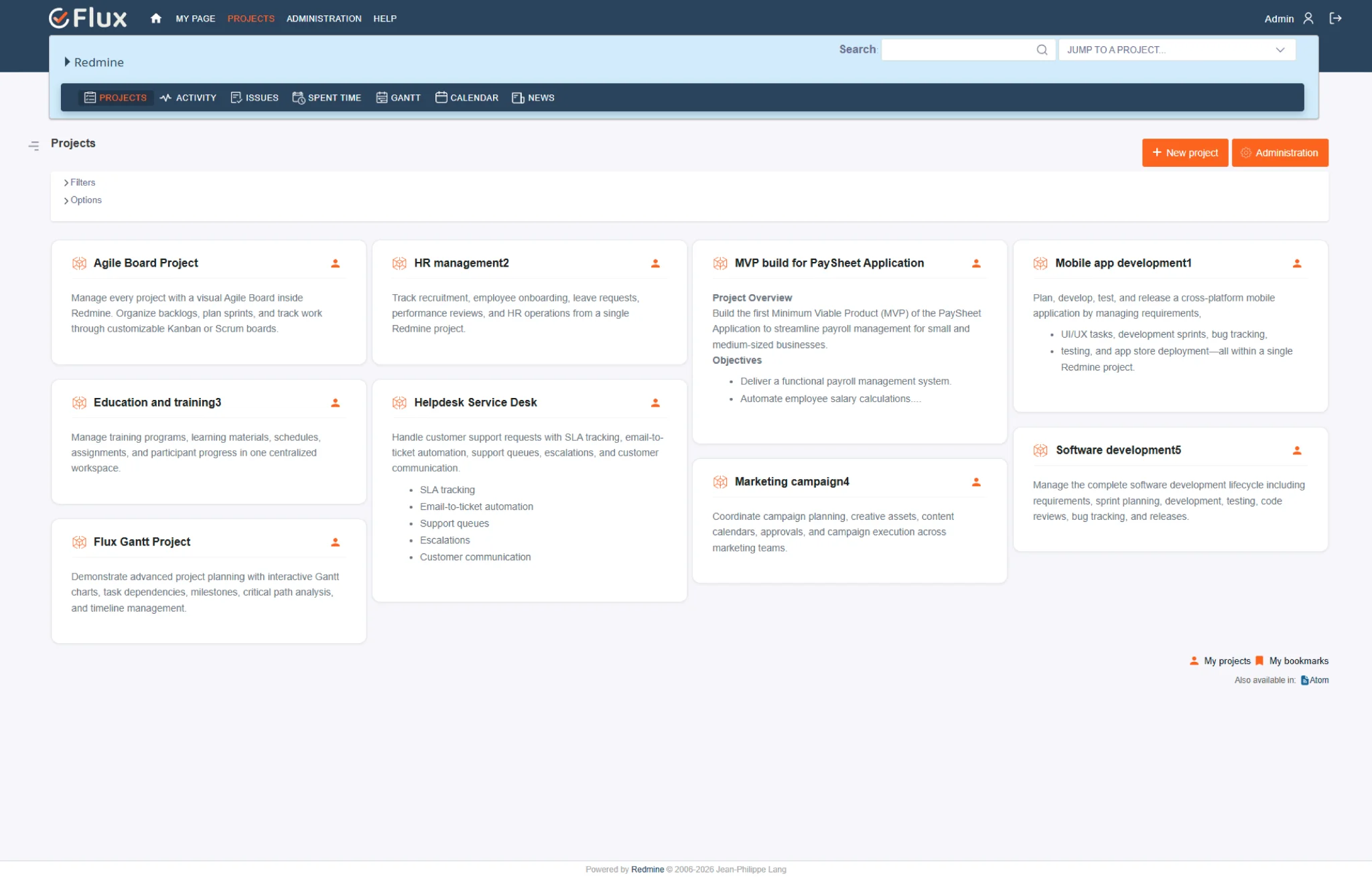
Scarlet is designed for teams who spend most of their working day in Redmine and want a cleaner, more professional interface. This is less about appearance and more about usability: a team that has Redmine open for eight hours has different needs than one that checks in only occasionally. Scarlet provides a refined, distraction-free experience that helps teams stay focused on their work without changing how Redmine functions. If your team wants a modern interface that’s comfortable for everyday use, Scarlet is the right choice.
Lotus Theme — Structural Redesign, Not Just a Color Change
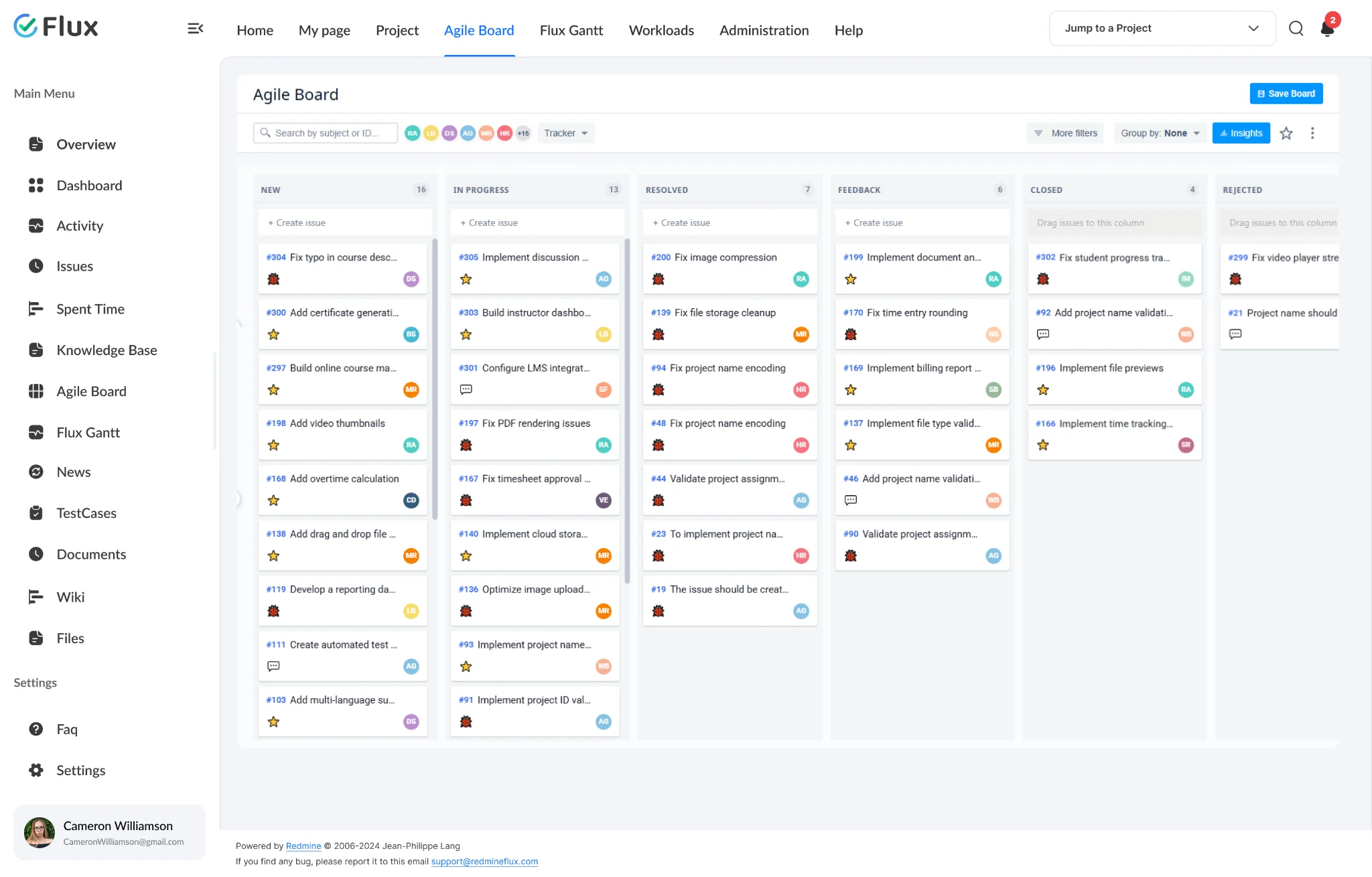
Lotus is a different kind of theme entirely. Instead of just changing colors, it replaces Redmine’s default layout with:
- A collapsible sidebar
- Colour-coded tracker borders
- Custom priority icons
- A rich project card view
In practice, that means you can tell a bug from a feature request, or a high-priority issue from a low one, without opening it the visual structure carries information the default layout leaves you to click into. It’s built for teams that need to scan a project at a glance, not teams that just want a fresher color palette. If Daisy and Scarlet are about how Redmine looks, Lotus is about how information is organized on the page.
Daisy vs Scarlet vs Lotus — Which One Should You Choose
| Theme | Best for | What it changes |
|---|---|---|
| Daisy | Teams of 10–300 wanting a clean, modern light UI | Visual refresh, light & dark mode |
| Scarlet | Teams working in Redmine all day | Visual refresh, light mode |
| Lotus | Teams that need to scan trackers/priorities at a glance | Layout structure — sidebar, colour-coded borders, priority icons, card view |
A simple way to decide: if your only complaint is “Redmine looks dated,” Daisy or Scarlet solves it, depending on light or dark preference. If your complaint is “I can’t tell what’s what without clicking into every issue,” that’s a Lotus problem, not a color problem, and neither Daisy nor Scarlet will fix it.
How Much Do Redmine Themes Cost?
Each theme is $99 standalone, and on Redmineflux Managed Cloud, Themes are licensed separately from Redmineflux plugins, so if your team wants a different look and feel, you can add Daisy, Scarlet, or Lotus independently without changing your existing Redmine setup.
See a theme on your own Redmine. Get a free demo and try Daisy, Scarlet, or Lotus on a real Redmine workflow before you decide. → Get a Free Demo
FAQ
What themes does Redmineflux offer?
Three: Daisy (light & dark UI), Scarlet (professional light UI), and Lotus (a structural redesign with a sidebar, colour-coded tracker borders, and a project card view).
Are Redmine themes free?
No. Redmineflux themes are sold separately and are not included with plugin bundles. Each theme costs $99.
What’s the difference between Lotus and the other two themes?
Daisy and Scarlet are visual refreshes light and dark respectively. Lotus changes the actual layout: sidebar navigation, colour-coded tracker borders, custom priority icons, and a card-based project view.
Can I switch themes later if I pick the wrong one?
Yes a theme is an admin-level setting, not a data change, so switching doesn’t affect your issues, workflows, or plugin configuration.
Do Redmineflux themes work with Redmineflux plugins?
Yes themes are a visual layer on top of Redmine and are designed to work alongside the full Redmineflux plugin catalogue.
Still deciding between Daisy, Scarlet, and Lotus? Talk to us and we’ll help you pick. → Talk to Us
Keep reading — More from the Redmineflux team