
Redmine Helpdesk – support tickets inside Redmine.
For support leads and IT operations teams already running Redmine – SLA-tracked ticketing, email-to-ticket capture, configurable-level escalation, and customer management without a second tool.
one-time purchase · 1 year of support included
Support renewal after 1 year 30% of plugin price
Today without this plugin
Support tickets live in a second tool. SLAs live in a spreadsheet. Neither knows about the other.
An agent closing a support ticket can’t see the Redmine project context. A developer investigating an escalation switches systems to find the ticket history. SLA tracking happens in a spreadsheet nobody keeps current, so breach warnings arrive after the breach. New tickets from email get assigned manually – sometimes to the wrong queue, sometimes not at all. Overdue and unassigned tickets stay invisible until a customer complains.
In plain words
What is the Redmineflux Helpdesk Plugin?
The Redmineflux Helpdesk Plugin adds a structured support layer on top of Redmine’s issue tracker. Inbound emails create tickets automatically. SLA packages define response and resolution time targets with working hours and holiday calendars. Three-tier escalation routes tickets that breach thresholds without manual intervention. Customers interact with the helpdesk via email – their replies are automatically added as ticket notes. Every ticket is also a Redmine issue – support context and project context live in the same record.
Support and delivery in one workspace.
Every support ticket is a Redmine issue. When an engineer is escalated from L2, they see the full ticket history inside the project – no system switch required. When a customer emails a question, it becomes a Redmine issue within minutes, matched by Identifier Keywords configured on the project mailbox. The support team and the development team are looking at the same record.
SLA packages define what “on time” means for each customer. The monitor tracks every breach threshold and fires warnings before the clock runs out. When a ticket misses L1, it escalates automatically. The support lead stops chasing status and starts running the queue.
What your support team gains
One ticket, one record—SLA clock included.
Click any shift to see what changes in the product.
01
Tickets from email without manual handling.
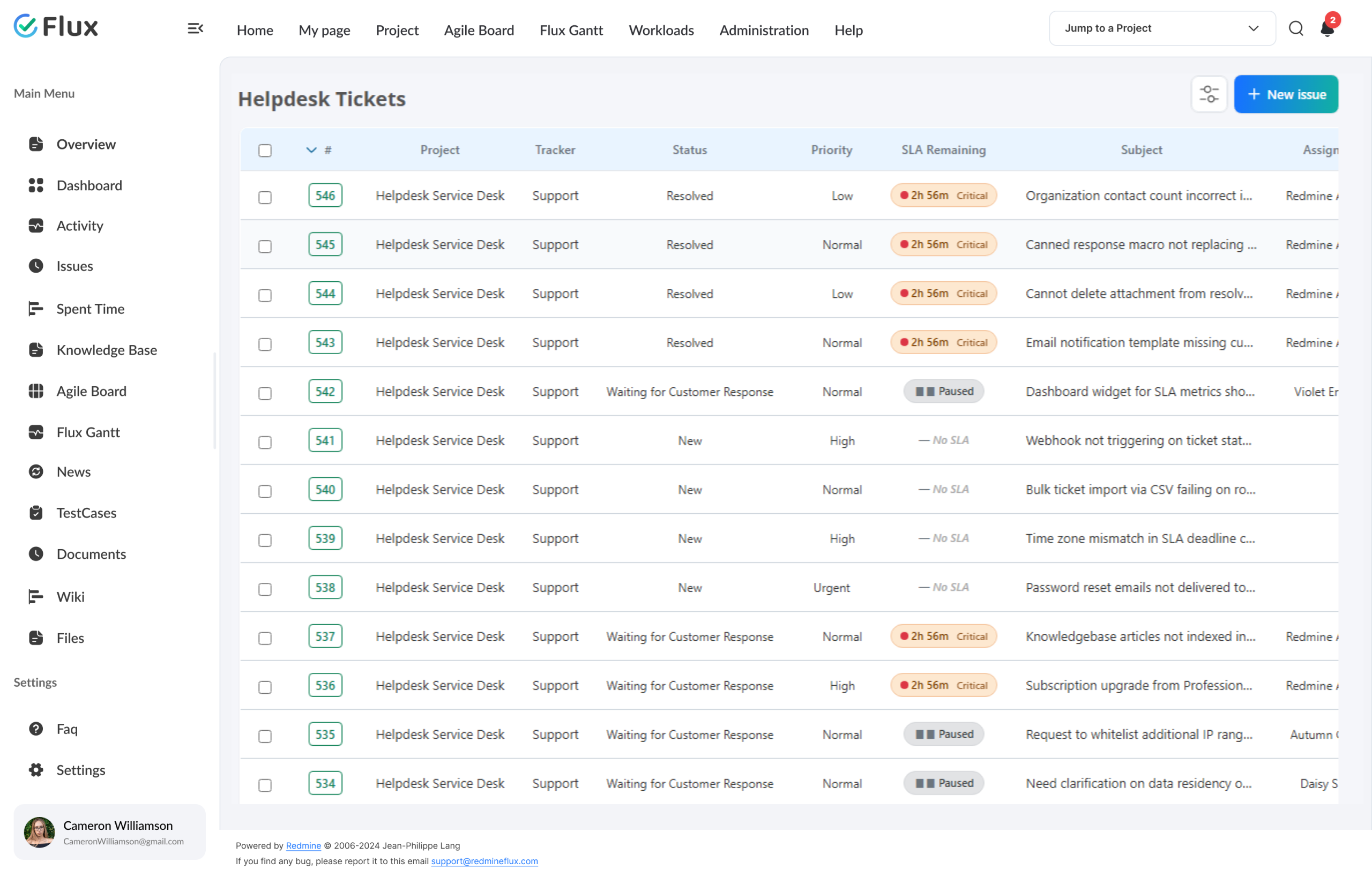
IMAP email capture converts inbound support emails into Redmine issues automatically. Identifier Keywords configured on the project mailbox filter which emails create tickets – matched against the subject or body. The customer receives an automatic confirmation email once the ticket is created – before any agent touches it.
02
SLA breach warnings before the breach.
SLA packages define response time, resolution time, working hours, and a holiday calendar. The SLA monitor runs in the background via Sidekiq and fires email warnings at configured thresholds – L1 warning, L2 escalation, L3 critical. The support lead has time to act before the clock runs out, not after.
03
Configurable escalation that runs itself.
Support levels (L1, L2, L3) attach to SLA packages. When a ticket breaches the L1 threshold, the plugin reassigns or notifies L2 automatically. L3 follows if L2 also misses. Every escalation is logged in the SLA history audit trail with a timestamp and the user responsible – no manual chase required.
04
Customers managed inside Redmine, not in a separate tool.
Register customers in the Helpdesk Control Center and assign them to projects with a defined SLA, organisation, and support level. Registered customers submit tickets by emailing the project mailbox – each email becomes a Redmine issue automatically. Their replies to ticket notification emails are added back as ticket notes. The entire customer conversation lives on the Redmine ticket.
05
Consistent replies at volume.
Canned responses give agents pre-written reply templates with optional attachments – inserted in a single click. Knowledge base articles per project let agents search for answers while composing replies. Both features reduce time-to-reply without reducing reply quality, even when ticket volume spikes.
Core capabilities
The specifics, for teams that want them.
Dashboard, SLA packages, and configurable escalation.
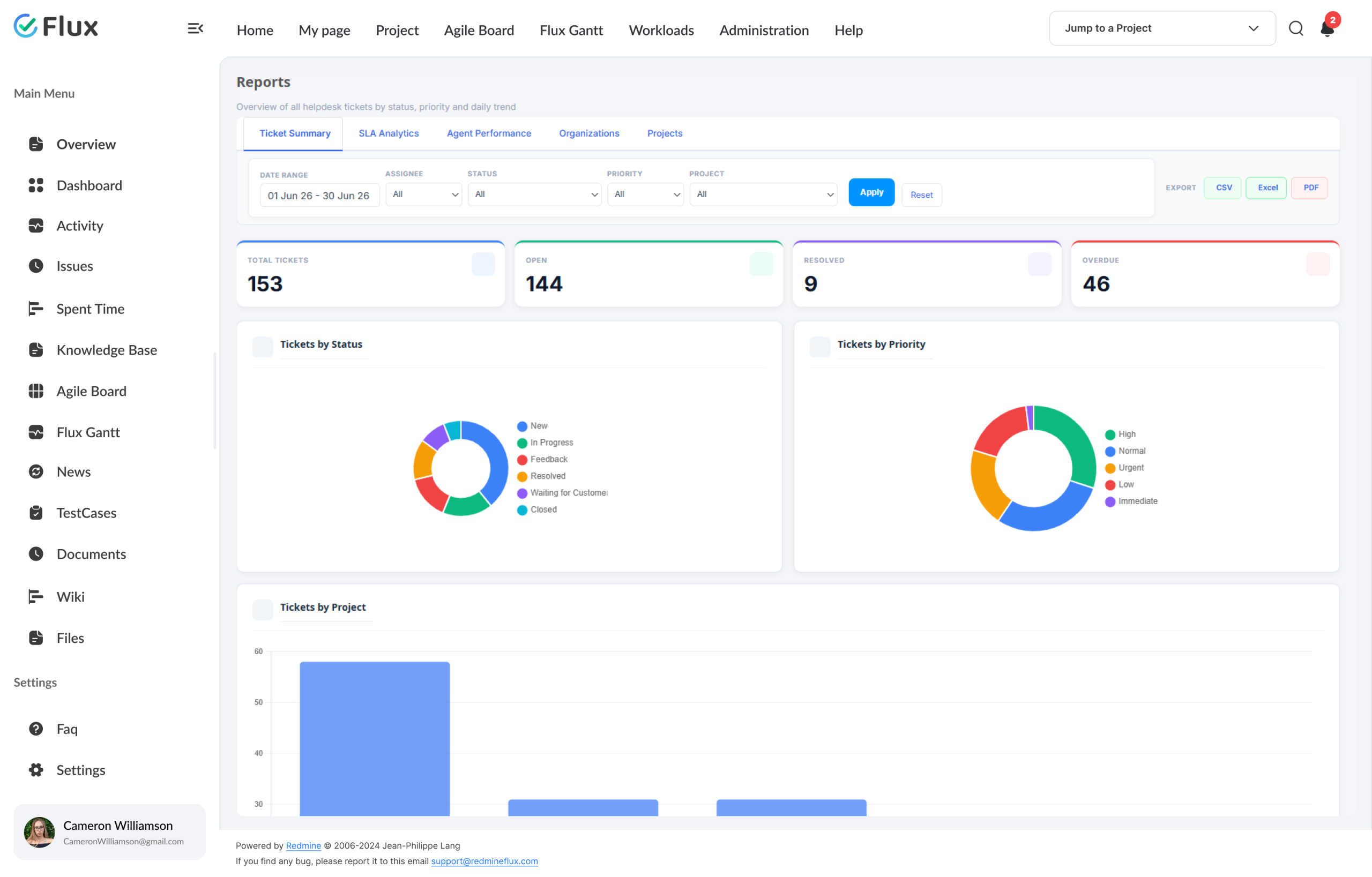
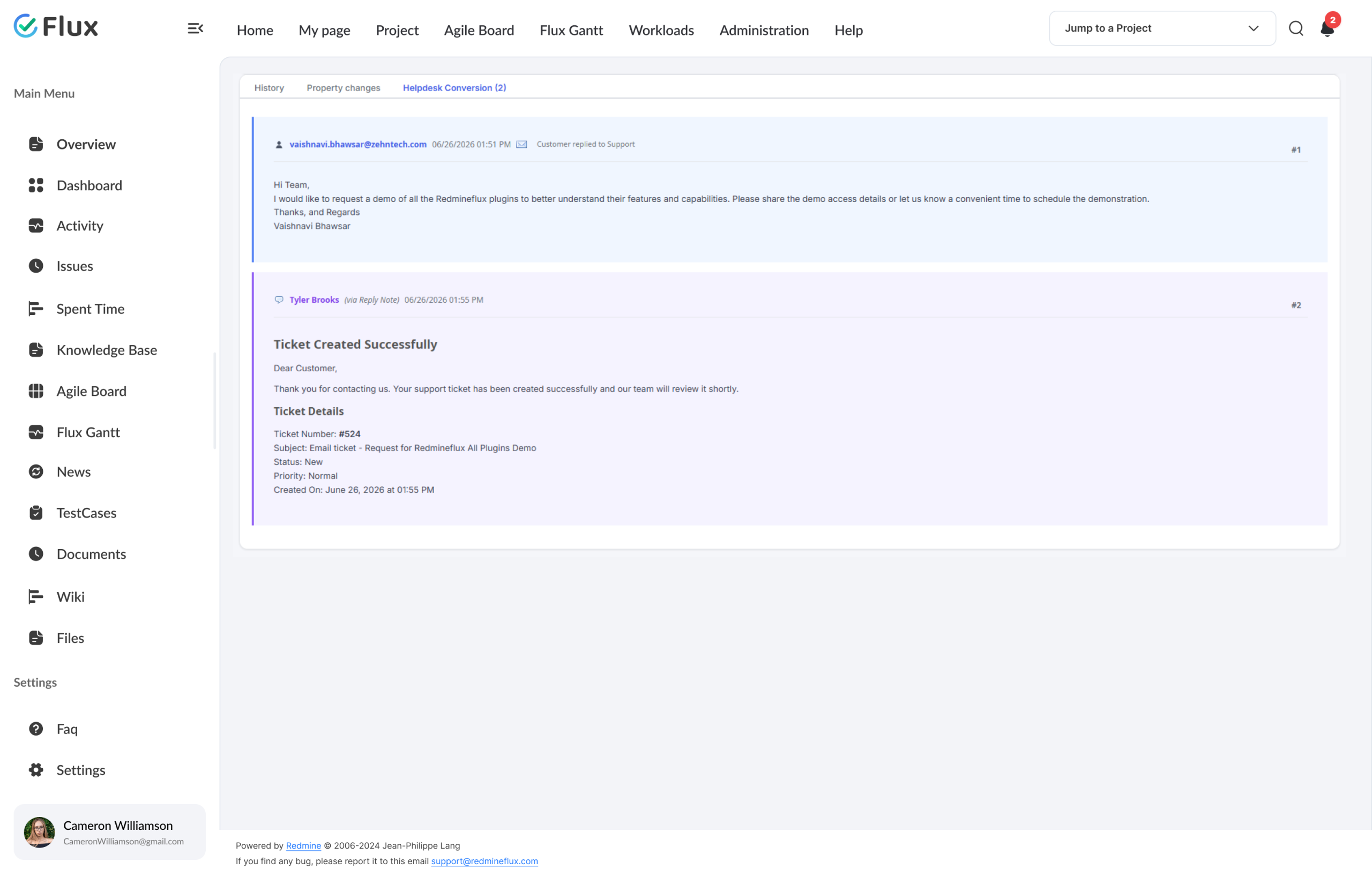
- Dashboard: Open / On Hold / Resolved / Overdue / Unassigned counts
- SLA packages: response time, resolution time, working hours, holiday calendar
- Configurable support levels with automatic escalation
- SLA monitoring with breach warning emails
- SLA history audit trail: timestamp + user attribution per state change
IMAP capture with Identifier Keywords.
- IMAP email-to-ticket capture
- Identifier Keywords filter incoming emails by subject or body text – configured per project mailbox
- Default Tracker and Auto-close Days configured per project for consistent ticket creation
- Customers receive automatic confirmation email when their ticket is created from email
- Original email stored on ticket record for full audit trail
Customer management, canned responses, and knowledge base.
- Customer database: register customers with login and email; link to projects with SLA and support level
- Organisation management: group customers across projects for consistent helpdesk context
- Customers interact via email: their replies are automatically added to the ticket as notes
- Unregistered email senders are notified to register before a ticket is created
- Canned responses with attachments
- Knowledge base articles per project
200+
teams trust Redmineflux worldwide
6 yrs
focused on Redmine, nothing else
5000+
plugin downloads powering real projects
We had support in Zendesk and projects in Redmine. Every escalation was a copy-paste exercise. Now the ticket is the Redmine issue – the developer sees exactly what the customer reported, with the SLA clock visible in the same record.
Deployment
Run it your way.
Managed Cloud
- Hosted by Redmineflux · every plugin included
- Sidekiq SLA monitor + IMAP capture run without configuration
- IMAP credentials connect through the project settings UI
$3.99 / user / month
Get a Free Demo →Self-hosted
- Drop-in install on your own Redmine instance
- one-time purchase · 1 year of support included
- Configure IMAP in the Redmine admin panel after install
From $499 one-time
Buy Plugin →Role by role
What Helpdesk changes for each role.
Support LeadTicket queue + SLA governance
Ticket volume, SLA breach rates, and unassigned counts are visible on the dashboard at all times – not reconstructed from email threads.
Support AgentTicket handling + customer replies
Email capture removes ticket-creation overhead. Canned responses and knowledge base access reduce reply time per ticket without reducing quality.
Engineering LeadEscalated defect investigation
Escalated tickets arrive as Redmine issues with full context. No system switch required to investigate or assign a fix to the development queue.
CTO / IT DirectorClient SLA accountability
SLA audit trail and breach history give a verifiable record for client reviews. Customers interact via email — their replies attach automatically to the ticket as notes.
Pricing
Three ways to get Helpdesk.
Buy this plugin
Helpdesk – self-hosted
one-time purchase · 1 year of support included
Support renewal after 1 year 30% of plugin price
Buy Helpdesk →Save with a Bundle
All Plugins Bundle
Every Redmineflux plugin + Daisy & Scarlet themes. One renewal. One invoice.
Save 10% See All Plugins Bundle →Or use Managed Cloud
Redmineflux Cloud
Every plugin included, AI bundled, no infrastructure work.
See Cloud plans →Try it on your real support queue
See Helpdesk with your actual ticket volume.
An engineer connects your IMAP mailbox and walks through the SLA configuration. No slides. No pitch deck. Real inbox, real routing.
Frequently asked
Frequently Asked Questions
The questions support leads actually ask. If yours isn’t here, check pricing or contact support.
How does IMAP email capture work?
Configure an IMAP mailbox in the Redmine admin panel. The Helpdesk plugin polls the mailbox and converts each new email into a Redmine issue using the “Support” tracker. The original email is stored on the ticket record. Replies sent via Redmine go back to the customer’s email address automatically.
How do Identifier Keywords control which emails become tickets?
Each project mailbox can be configured with Identifier Keywords. When an inbound email arrives, the subject and body are checked against these keywords. If a keyword matches – or no keywords are configured – the email is automatically converted into a Redmine issue. Attachments on the inbound email are stored on the ticket record. The customer receives an automatic confirmation email once the ticket is created.
How are customers managed in the Helpdesk plugin?
Customers are registered in the Helpdesk Control Center with login, name, and email. They are added to individual projects with an assigned SLA, organisation, and support level. Registered customers can submit tickets by emailing the configured project mailbox – each email becomes a Redmine issue automatically. Customers can also reply to ticket notification emails and their replies are added to the ticket as notes.
How does escalation work?
SLA packages include support levels (L1, L2, L3). When a ticket’s SLA clock passes the L1 threshold without resolution, the plugin reassigns or notifies L2 automatically. If the L2 threshold is also breached, L3 is triggered. Email alerts go to the relevant support level at each escalation. All escalations are logged in the SLA history audit trail with a timestamp and the user responsible.
How much does the Helpdesk Plugin cost?
$499 one-time for self-hosted – 1 year of support included. Support renewal after 1 year 30% of plugin price. Bundle with the All Plugins Bundle ($4,753 one-time) for all plugins. Or hosted at $3.99/user/month via Redmineflux Cloud Pro – every plugin included.
Is there a free demo available?
Yes – Get a Free Demo and we’ll send a personalised demo link straight to your inbox. No credit card required, no commitment. Explore the real product at full capacity, at your own pace. Cloud starts at $1.99/user/month.