Categories
Informational

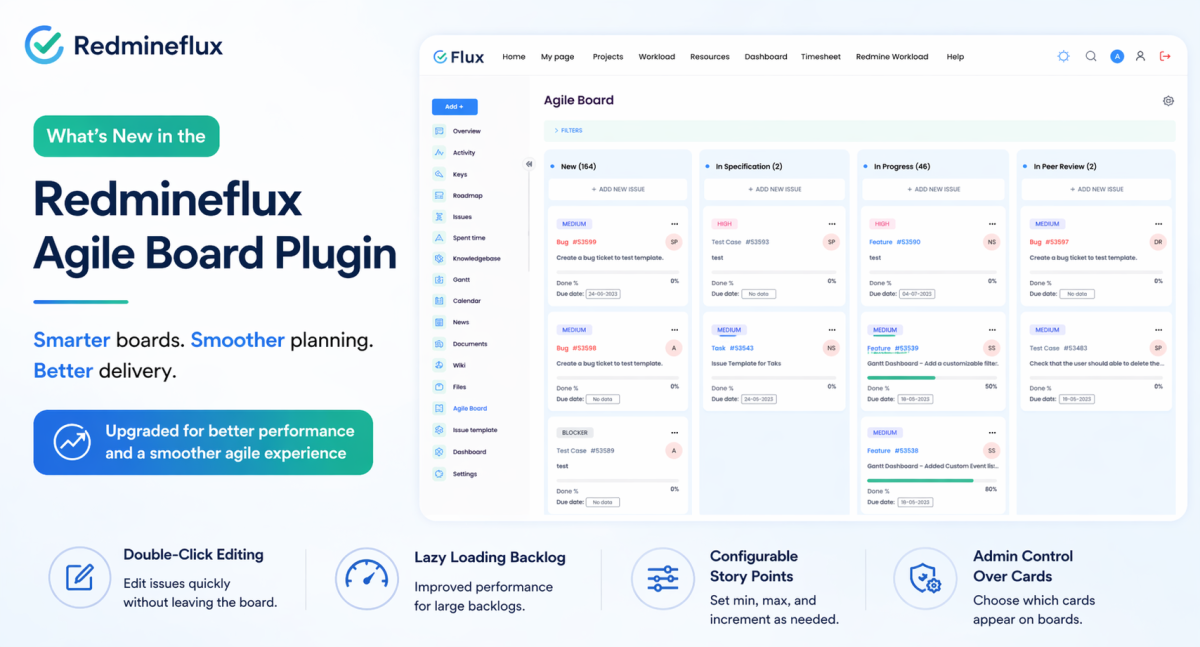
What’s New in the Redmineflux Agile Board Plugin

Product upgrades are easy to describe badly.

Most upgrade posts turn into feature dumps. They read like release notes, sales copy, or a product page wearing a blog title. That is usually not very helpful if you are an actual user trying to answer a simpler question: what changed, and will it make day-to-day work better?

That is the better way to look at the latest Redmineflux Agile Board Plugin upgrade.

The new version is not just adding extra options to an already busy plugin. It is a more thoughtful rebuild of the core board experience. The changes are most noticeable in the areas teams touch every day: how work is organized, how backlog planning behaves at scale, how editing happens from the board, and how admins control what appears across the instance.

If you already use the plugin, the upgrade feels less like a cosmetic refresh and more like a maturity step.

For anyone specifically searching for Redmine Agile Board new features, this is the short version: the Redmineflux Agile Board update is less about adding noise and more about making the plugin easier to run in real-world Kanban, Scrum, and sprint planning workflows.

The Old Version Was Useful, but It Had Started to Show Its Age

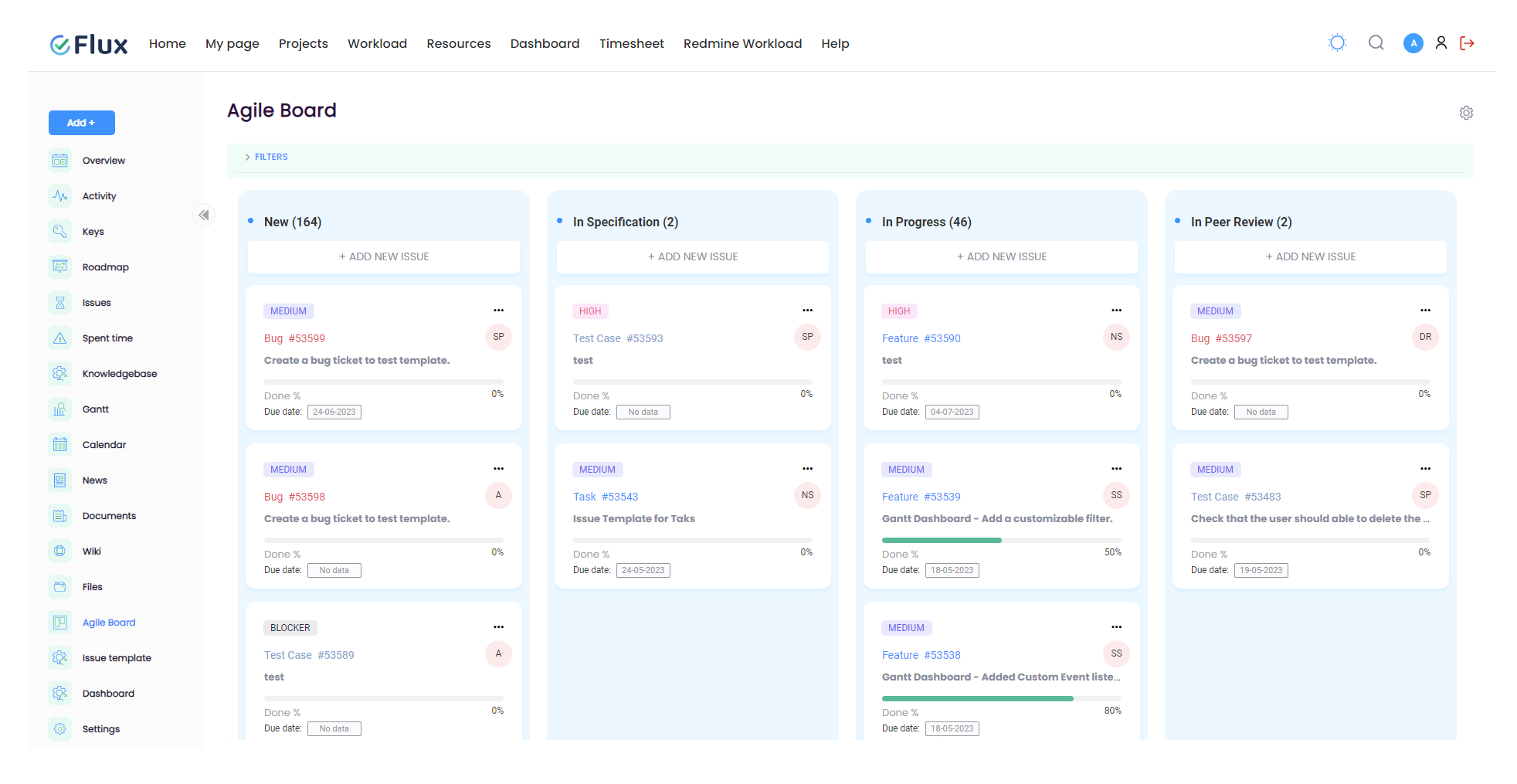
The earlier version of the Agile Board Plugin was already a solid extension for Redmine. It gave teams Kanban and Scrum boards, sprint support, Story Points, WIP limits, swimlanes, custom saved boards, and cross-project visibility through the Global Agile Board.

That is why this upgrade matters. It is not trying to rescue a weak product. It is improving a product that already solved a real problem.

Still, as teams grow, the pressure points become clearer. A backlog that works for a small project can feel heavy for a large one. A board that looks flexible at first can become cluttered when several teams use it differently. Editing directly on cards may sound efficient, but it is not always the cleanest interaction model in practice.

This upgrade seems to come from that exact kind of real usage pressure.

That is important context because a Redmine Kanban Scrum plugin is rarely judged on features alone. Teams judge it on whether daily work feels cleaner, whether sprint planning stays usable under pressure, and whether project managers can understand what is happening without opening five different views.

The Biggest Shift Is Structural, Not Cosmetic

The most important improvement is that the plugin now feels more clearly organized around three different working contexts:

  • the Project Agile Board for day-to-day work inside one project
  • the Global Agile Board for cross-project visibility
  • the Backlog for sprint and version planning

These areas existed before, but they now feel more intentional. That may sound like a small product-design point, but it changes how quickly users understand where to go and what each view is for.

That kind of clarity is what makes software feel easier, even when the total number of features does not change dramatically.

For teams using Redmine across multiple workstreams, this may be the most valuable part of the Redmine Agile Board Plugin upgrade. Better structure usually leads to better adoption.

Editing from the Board Feels More Deliberate Now

One of the more interesting changes is the move away from inline card editing toward double-click modal editing.

On paper, inline editing often sounds faster. In reality, it can make boards feel messy, especially when teams are moving quickly and many people are working in the same space. The new approach feels more controlled. You still edit without leaving the board, but the interaction is more focused and less visually noisy.

This is a good example of the upgrade choosing usability over novelty.

It also makes the plugin feel less like a collection of interactions and more like a system with a clear editing pattern, which matters when boards become central to day-to-day delivery.

The Backlog Improvement May Matter More Than It First Appears

Lazy loading in the Backlog is probably one of the most practical changes in the entire update.

It is not flashy. It is not the kind of feature people put at the top of a marketing banner. But for teams planning across large numbers of issues, it directly affects how usable the plugin feels during real planning sessions.

When backlog views slow down, sprint planning gets dragged down with them. People wait, scroll less confidently, and start working around the tool instead of through it. By improving how large backlogs load, the plugin is addressing one of those friction points that quietly shapes the whole experience.

If you are evaluating this as a Redmine sprint planning plugin update, this is one of the strongest reasons to care. Performance improvements in backlog planning have more operational value than many headline features.

Admin Control Is Stronger and Cleaner

Another meaningful shift is how Story Points are handled.

In the upgraded version, Story Points are disabled by default and managed at the plugin configuration level. That is a smart move. Not every team estimates the same way, and not every Redmine instance should expose the same planning fields to everyone by default.

This kind of control matters more than it first seems. A plugin becomes easier to adopt when teams can hide what they do not use and standardize what they do use. Instead of forcing one planning style across the board, the upgrade makes the plugin feel more governable.

The same applies to tracker and priority icon customization. It is a visual refinement, but it also signals that the plugin is moving toward a more deliberate admin-managed experience rather than a one-size-fits-all board.

That makes the upgraded plugin easier to standardize across teams, which is often where Redmine instances become difficult to govern.

The Upgrade Also Shows More Awareness of Multi-Team Reality

Some of the smaller changes say a lot about who this version is really for.

Saved boards now include better visibility and sharing control. Sprint setup includes a Sharing field. The Global Agile Board shows project context directly on the card. None of these changes are dramatic on their own, but together they suggest a plugin that is thinking more carefully about larger, messier Redmine environments.

That matters because agile tools tend to feel fine when one team uses them in one predictable way. The real test comes when several teams share projects, managers need cross-project visibility, and different roles need different board views.

This upgrade appears more aware of that reality than the earlier version.

That is also why the current Redmineflux Agile Board update feels more practical than flashy. It is solving coordination problems that appear only after real team growth.

What These Changes Mean in Practice

The easiest way to judge an upgrade is not by counting features. It is by asking what becomes easier after the upgrade than before.

In this case, the practical gains look like this:

  • teams can separate execution, planning, and cross-project review more clearly
  • backlog planning remains more usable when issue volume grows
  • board editing feels more controlled and less messy
  • admins can decide whether Story Points belong in the workflow at all
  • managers get better context on cross-project boards without extra clicks
  • different teams can maintain different saved-board views with less confusion

That is what makes the article more than a release summary. The real value is not that the plugin changed. The real value is that the working experience likely improves in several small but compounding ways.

A Few Things Are Worth Verifying Before Upgrading

One thing I would not ignore: some features documented in the previous version are not clearly mentioned in the newer material.

The two that stand out are:

  • time logging directly from board cards
  • watcher assignment from the board

That does not automatically mean those capabilities are gone, but if a team depends on them, it would be wise to verify current behavior before upgrading in production.

For a blog post, this kind of note is useful because it adds honesty. It helps the article feel like guidance rather than promotion.

If you are planning to test the Redmine Agile Board Plugin upgrade in a staging environment first, these are the areas worth checking:

  • existing sprint data after migration
  • saved board visibility and sharing behavior
  • Story Point settings and allowed values
  • Global Agile Board project labels
  • backlog performance on large issue sets
  • any workflow that depended on board-level time logging or watcher assignment

So, Does the Upgrade Actually Feel Better?

Yes, that is the main impression.

The plugin now feels less like a collection of agile features layered onto Redmine and more like a product that has learned from actual use. The workflow separation is clearer. Board interactions are more controlled. Backlog performance is better thought through. Admin settings are more intentional. Cross-project work gets a little less confusing.

None of that sounds dramatic in isolation. Together, it is what makes the upgrade feel more mature.

That is really the story here. Not “ten new things were added,” but “the product has grown up.”

For searchers comparing Redmine Agile Board new features across plugins or versions, that maturity point matters. A tool becomes more valuable when it reduces friction, not when it simply adds surface area.

Should Existing Users Upgrade?

If your team is already comfortable on the older version and your projects are small, the upgrade may feel incremental at first.

If your team works with larger backlogs, multiple project streams, different board views for different roles, or more formal sprint planning, the value is easier to see. In those cases, the upgrade appears to improve the exact areas that become painful as usage grows.

So the practical answer is:

  • upgrade sooner if backlog scale and board clarity are current pain points
  • review more carefully if your workflow depends on features that are not clearly documented in the new version
  • treat this as a workflow-quality upgrade, not just a feature upgrade

Final Thought

If I were reading this as a buyer or existing user, that would be the takeaway I would care about most: the new Agile Board Plugin seems better aligned with how teams actually work inside Redmine once projects become more serious, more shared, and more complex.

That makes this a good upgrade story for a blog, because the value is not just in listing features. It is in explaining what kind of working experience those features create.

If needed, the full knowledgebase for the current plugin is still available at Redmineflux but this post should now read first as an article, not as a product page.

FAQ

1. Does Redmine support workload management by default?

Redmine supports basic task assignment and time estimation, but it does not provide a complete workload management layer. Teams can assign work, but they cannot clearly compare assigned hours against actual team capacity across projects.

2. Why is Redmine workload management challenging for growing teams?

As teams grow, resources are shared across multiple projects, and simple task assignment is no longer enough. Without visibility into real capacity, workloads become unbalanced, leading to delays, overload, and unrealistic planning.

3. Can I track workload per user per day in Redmine?

Standard Redmine does not provide a clear view of workload per user per day. Teams often rely on manual tracking or spreadsheets to estimate availability and workload distribution.

4. How do teams usually manage workload in Redmine?

Most teams start using spreadsheets or manual tracking methods to understand workload and capacity. This happens because Redmine is better at tracking tasks than balancing workload across users and projects.

5. What is the difference between task assignment and workload management?

Task assignment shows who is responsible for work, while workload management shows whether that work is realistically achievable based on available time and capacity. The difference becomes critical as teams scale.
Categories
Informational

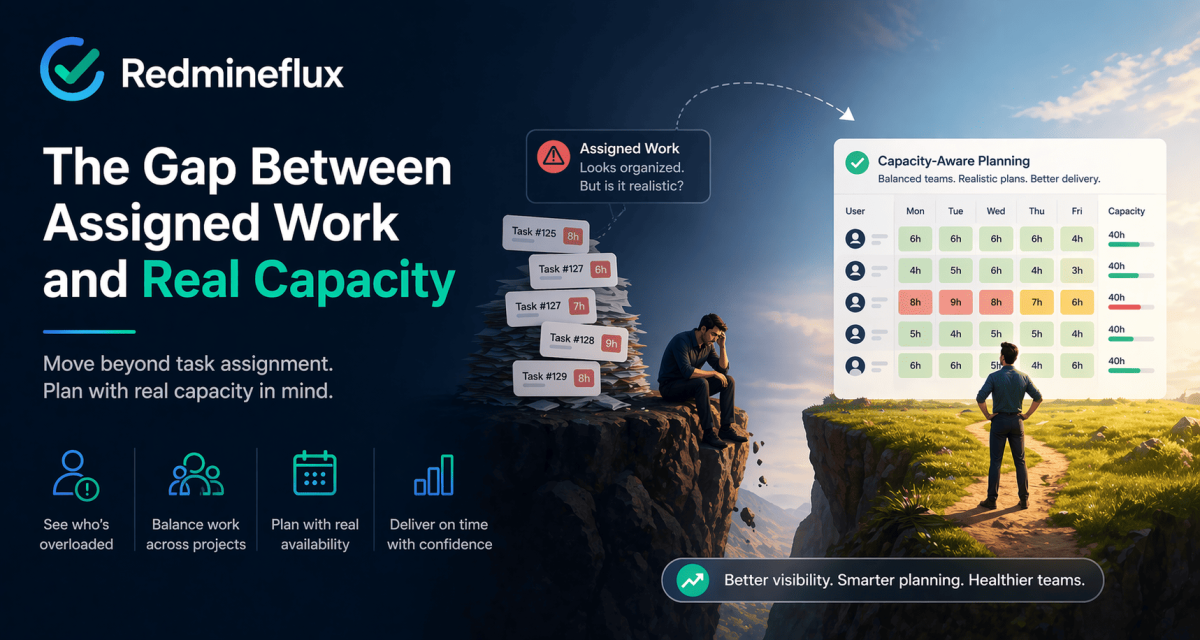
Redmine Workload Management: The Gap Between Assigned Work and Real Capacity

Redmine can tell you who owns the work.

That sounds useful, and it is. But it is not the same thing as knowing whether the team actually has the capacity to deliver what has been assigned.

That gap is where workload management becomes a real issue.

Most Redmine teams do not feel it immediately. At first, issue assignment feels close enough to planning. A task has an assignee, an estimate, and a due date. The board moves, the list updates, and everything appears organized.

Then the planning gets harder.

One engineer is shared across three projects. Another is on leave next week. A sprint looks reasonable on paper, but half the work is concentrated on two overloaded people. Suddenly the problem is no longer whether work has been assigned. The problem is whether the assignment reflects reality.

That is the point where Redmine workload management becomes more than a nice-to-have.

At Redmineflux, this is one of the most common planning gaps we see in growing Redmine environments. Teams are already disciplined about issue tracking, but they still lack a clear way to compare assigned work against actual capacity before commitments are made.

Why Issue Assignment Is Not Workload Planning

This is the mistake many teams make without realizing it.

They assume that if work is visible and assigned, then capacity is also visible. But those are two different things.

An assigned issue does not tell you:

  • whether the person already has a full week
  • whether they are splitting time across multiple projects
  • whether upcoming leave changes the real schedule
  • whether estimated hours are stacking up beyond available time
  • whether the sprint is balanced across the team

That is why basic assignment is not the same as Redmine resource planning. One tells you who owns the task. The other tells you whether the plan is believable.

What Standard Redmine Actually Does Well

It is worth being fair here. Redmine already gives teams the basics of coordination.

You can create issues, assign owners, set due dates, estimate effort, track statuses, and review work through lists, calendars, and Gantt views. That is more than enough for teams that mainly need project structure and task visibility.

For lighter planning needs, standard Redmine can support:

  • issue assignment
  • estimated hours
  • date-based planning
  • status tracking
  • filtered project review

That is why so many teams start with it comfortably.

The trouble begins when planning stops being about visibility and starts being about capacity.

That distinction matters on the Redmineflux website because many teams evaluating plugins are not trying to replace Redmine. They are trying to keep Redmine as the core system while adding the planning layer it does not provide cleanly by default.

Where Redmine Workload Management Starts to Break Down

The breaking point usually arrives quietly.

A manager starts maintaining a spreadsheet because it is easier to see everyone’s week there. A lead asks in a meeting whether someone is actually free before assigning a task. PMOs begin doing manual cross-checks because multiple projects are sharing the same people. Delivery plans start looking fine in Redmine but slipping in real life.

That is usually the signal.

The issue is not that Redmine has no planning data. The issue is that it does not give most teams a proper workload planning layer out of the box. It can show work, but it does not always show pressure clearly enough.

And pressure is the thing teams actually need to see.

What Redmine Workload Management Really Means

At a practical level, Redmine workload management is not just about reviewing issues. It is about comparing planned work against actual availability before commitments are made.

A useful workload process answers questions like:

  • who is overloaded this week
  • who still has room
  • which people are stretched across multiple workstreams
  • whether the next sprint is realistic
  • where work should be rebalanced before delivery slips

That is why Redmine capacity planning matters. It moves the team from tracking tasks to judging whether the current plan is operationally realistic.

What Growing Teams Usually Need Next

Once teams reach that stage, they usually stop asking for better issue filters and start asking for clearer workload visibility.

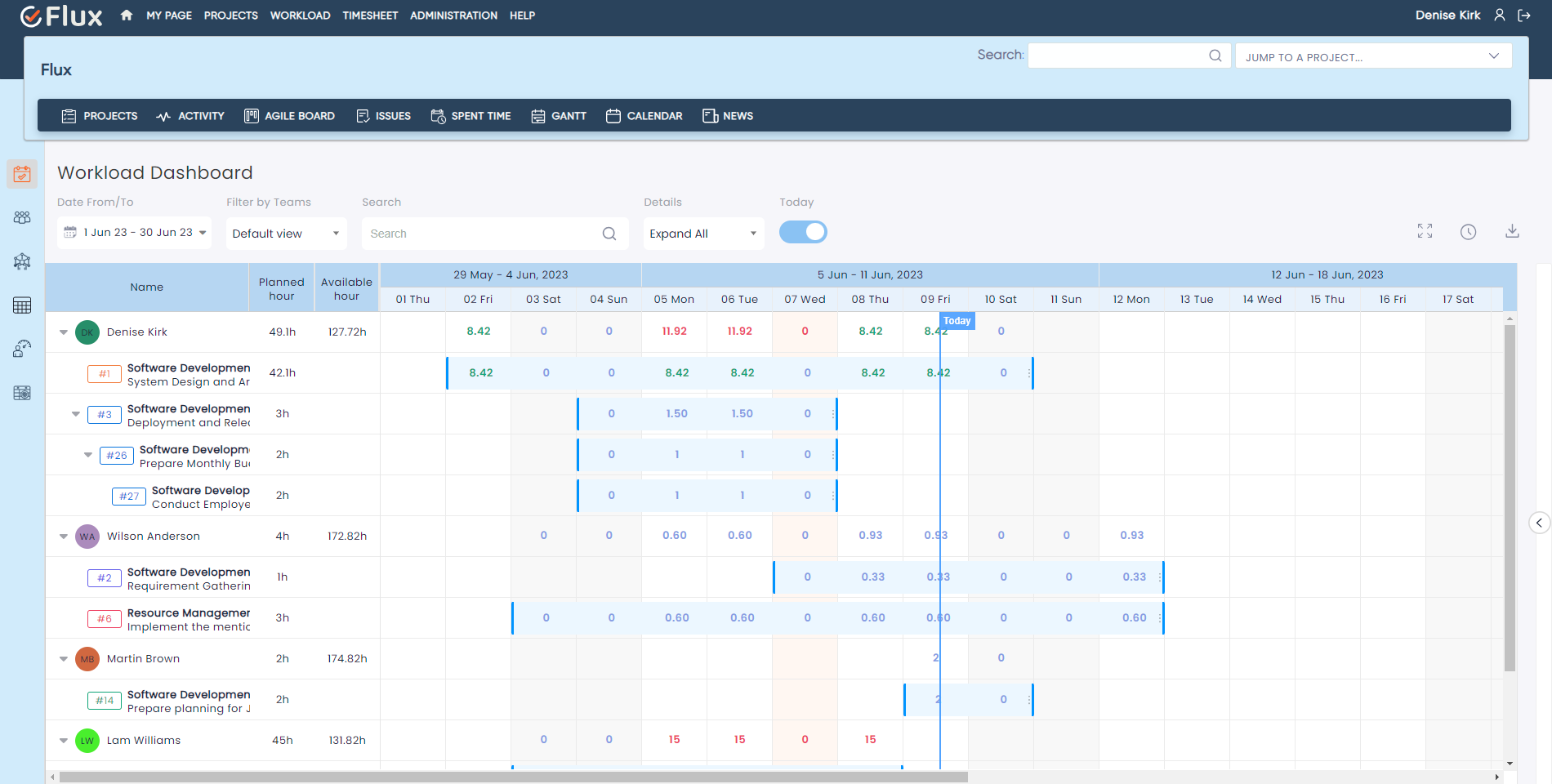
  • They want to see workload per user per day, not just a list of assigned tasks.
  • They want to see assigned hours against available hours, not just estimated hours in isolation.
  • They want to factor in leave, holidays, and working-hour rules.
  • They want to rebalance work before problems show up in standups, missed deadlines, or burnout.

That is where the conversation often shifts from basic Redmine assignment to a more complete workload planning workflow.

What Better Workload Planning Feels Like

The best way to describe better planning is that it feels less hopeful.

  • Instead of assuming the sprint is realistic because every issue has an assignee, managers can actually see where the pressure sits.
  • Instead of discovering cross-project conflicts after commitments are made, they can spot them earlier.
  • Instead of asking who is free, they can ask whether the plan is balanced.
  • Instead of using spreadsheets as the real planning layer and Redmine as the record afterward, they can keep planning closer to where the work already lives.

That is what better Redmine workload management changes. It does not just make the plan more visible. It makes the plan more believable.

Where a Redmine Workload Plugin Fits

This is the point where a Redmine workload plugin starts to make sense.

The Redmineflux Workload Plugin adds the missing planning layer on top of Redmine’s existing issue structure. It is not replacing Redmine. It is making the existing plan easier to evaluate against real team capacity.

For teams dealing with Redmine capacity planning across multiple people and projects, that usually means:

  • daily, weekly, and monthly workload visibility
  • clearer Redmine workload per user per day
  • assigned-hours versus available-hours comparison
  • support for leave, holidays, and working-time assumptions
  • better multi-project resource planning
  • easier rebalancing when one part of the team is overloaded

That is the practical difference between simply seeing work and actually planning it well.

For Redmineflux, that is the real role of the plugin layer. It should make Redmine more operationally complete without pushing teams into disconnected spreadsheets or separate planning tools.

A Simple Test: Have You Outgrown Native Redmine for Planning?

If any of these sound familiar, you are probably already feeling the limit:

  • managers rely on spreadsheets to see team capacity
  • one person’s assignments are spread across several projects and hard to review together
  • sprint planning feels optimistic until execution starts
  • overload shows up after commitment, not before
  • leave and working hours are not reflected clearly in planning
  • tasks are assigned, but nobody is sure whether the team can realistically absorb them

When those patterns show up, the problem is not that Redmine is failing at issue tracking. It is that issue tracking alone is no longer enough.

Final Thought: Moving Beyond Task Lists

Redmine is very good at organizing work. That is one reason teams continue to rely on it.

But organizing work and planning capacity are not the same thing. Once teams grow, share resources across projects, or need more realistic sprint commitments, the difference becomes hard to ignore.

Why Visibility Matters for Delivery

That is why Redmine workload management becomes such an important topic. It is not because teams need more tasks in the system, but because they need clearer visibility into whether the current workload actually fits the people available to do it.

And that is exactly when a structured Redmine workload plugin becomes less of an upgrade and more of a practical next step.

Plan delivery with real workload data inside Redmine

Frequently Asked Questions

1. Does Redmine have workload management by default?

Not in a fully developed planning sense. Redmine lets teams assign work, estimate hours, and review issues, but it does not give most teams a true workload planning layer showing assigned work against actual available capacity across users and projects.

2. Can I see workload per user per day in Redmine?

Not clearly in standard Redmine. This is one of the most common reasons teams start looking at a Redmine workload plugin. They need a better way to see workload per user per day instead of relying on issue lists, estimates, and manual reviews.

3. Why do teams still use spreadsheets for Redmine resource planning?

Usually because native Redmine is better at tracking work than balancing it. Teams fall back to spreadsheets when they need a quick view of who is overloaded, who has room, and how assignments look across multiple projects at the same time.

4. How does the Redmineflux Workload Plugin improve Redmine workload management?

The Redmineflux Workload Plugin adds a clearer planning layer on top of Redmine. It helps teams compare assigned work against available capacity, review workload across multiple people and projects, and make Redmine capacity planning more practical inside the same workspace where delivery is already being tracked.

5. When should a team move from native Redmine planning to Redmineflux?

Usually when task assignment is still working, but planning confidence is not. If sprint commitments feel optimistic, managers are using spreadsheets to balance capacity, or shared resources are hard to review across projects, that is usually the point where Redmineflux becomes a practical next step.

Categories
Informational

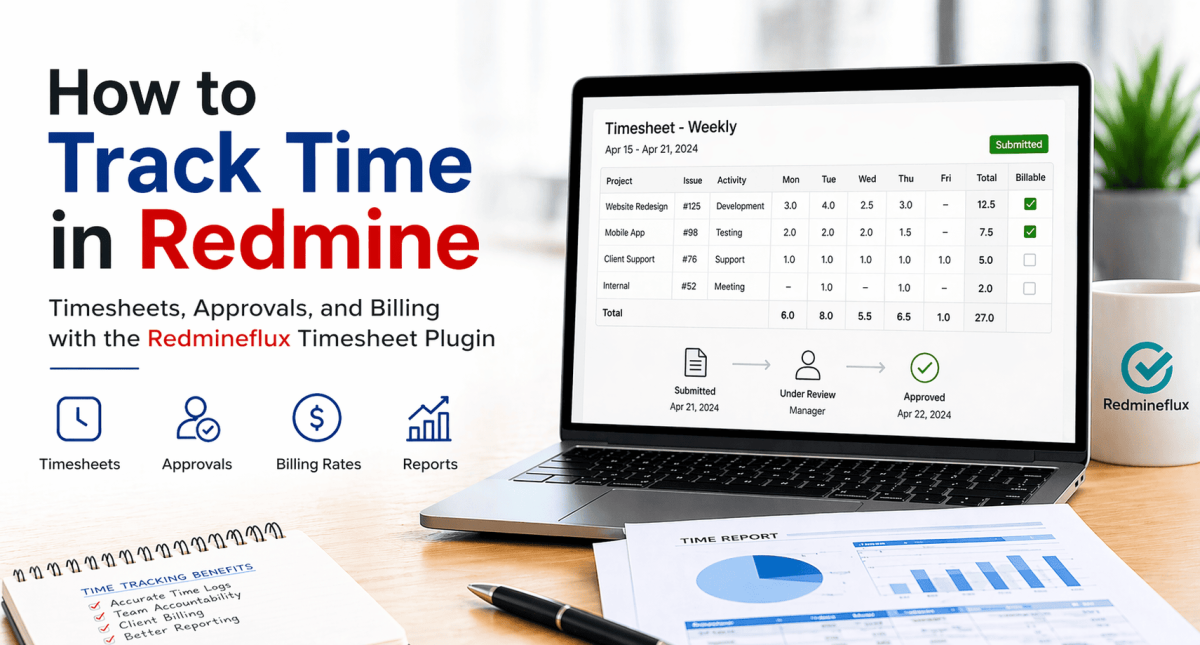
How to Track Time in Redmine Using the Redmineflux Timesheet Plugin

Redmine has built-in time logging. Users can log hours against any issue. But native time logging is not the same as time tracking — there are no consolidated timesheet views, no approval workflows, no billing rates, and no reporting by project or client. This guide covers what Redmine’s default setup provides, where it stops, and how the Redmineflux Timesheet Plugin completes the time tracking workflow.

What Redmine’s Default Time Logging Provides

What Redmine Does by Default

Redmine’s core time logging is simple and functional. Teams can log hours directly against any issue. Each entry accepts an hour value, an activity type, and a comment.

Redmine natively supports:

  • Logging time against individual issues with a date and activity type
  • Viewing all time entries in a flat, filterable list
  • Basic time reports filtered by project, user, or date range
  • Role-based permission control for who can log and view time

This gives teams a basic record of hours worked. It is sufficient for teams that only need to know time was logged.

What Redmine Does Not Provide

The gap becomes clear when teams move from informal logging to structured time governance. Redmine’s default setup stops well short of what billing-focused or compliance-conscious teams need.

What is missing from Redmine out of the box:

  • No consolidated per-person timesheet view across projects
  • No weekly or monthly timesheet submission interface
  • No manager approval workflow for submitted timesheets
  • No billing rates — standard, overtime, or role-based
  • No billable versus non-billable classification for time entries
  • No client-facing time report export formatted for invoicing
  • No budget versus actual comparison at project or user level
  • No time entry locking after a billing period closes
  • No submission deadline reminders for outstanding timesheet entries

These are not edge-case requirements. They are standard needs for any team billing clients from Redmine data.

What Is the Redmineflux Timesheet Plugin?

Answer capsule: The Redmineflux Timesheet Plugin adds consolidated timesheet views, manager approval workflows, billing rate management, billable and non-billable categorisation, and time reporting to Redmine. It works on top of Redmine’s native time log entries — no duplicate data entry. Compatible with Redmine 5.0.x, 5.1.x, and 6.0.x.

The Timesheet Plugin is not a replacement for Redmine’s time logging. It is a structured governance layer built on top of it. The same time entries your team logs against issues become the source of record for approvals, billing, and reporting.

Teams using the plugin do not change how they log time day to day. They gain a structured layer around that data — approval workflows, billing classifications, consolidated views, and exportable reports — that turns informal entries into a reliable, auditable record.

This matters most for service teams, consultancies, and internal delivery functions. These teams need time data that finance can trust, clients can review, and audits can verify.

Key Capabilities of the Timesheet Plugin

Consolidated Timesheet View

Redmine’s default time log shows entries in a flat list. That list does not show you what a single team member worked on across all their projects in a given week.

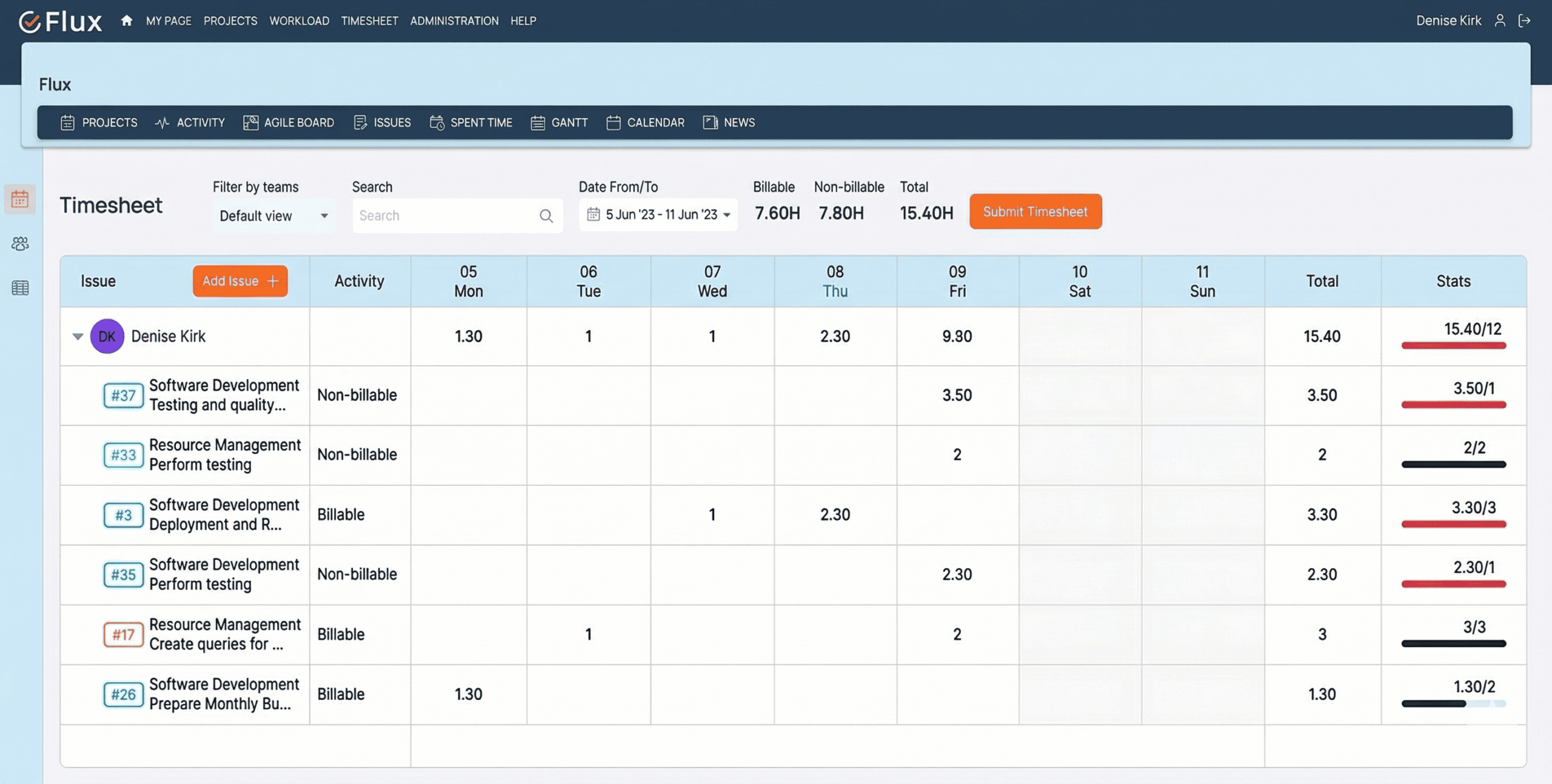
The Timesheet Plugin changes this with a per-person weekly and monthly timesheet view. All hours logged by a user are visible in one structured interface. Managers can review what was worked on without navigating project by project. Team members see their own timesheet clearly before submitting for approval.

This single change removes a significant amount of manual effort from weekly time review.

Timesheet Submission and Approval Workflow

Unreviewed time entries have no real audit value. The plugin introduces a defined approval workflow that closes this gap.

Team members review their logged entries and submit a completed timesheet for manager review. Managers approve or reject each submission, with the option to add a rejection comment explaining what needs correction. The submitter can then revise and resubmit without leaving Redmine.

Every submission and approval is timestamped and tied to a named user. This creates an auditable record of approved hours. That record is directly useful for client billing, compliance, and internal cost reporting.

Billing Rates

Most Redmine environments have no mechanism for distinguishing billable from non-billable time. The Timesheet Plugin adds this capability in two parts.

First, administrators can set billing rates per user or per role. Standard rates, overtime rates, and role-specific rates are all supported. Second, each time entry can be classified as billable or non-billable when it is logged or reviewed.

This gives agencies and service teams a structured path from logged hours to invoice amounts. Finance teams can run billing reports from approved, classified time data rather than reconstructing hours from spreadsheets.

Time Reports

Reports built from unvalidated time data are unreliable. The Timesheet Plugin generates reports from approved entries only.

Filters are flexible. Reports can be scoped by project, team member, date range, activity type, or billing status. Export options include CSV and PDF. Project managers use these reports for effort distribution reviews. Finance teams use them to generate client invoices directly from logged and approved hours.

This removes the need for a separate billing or reporting tool for time data that already lives in Redmine.

Integration with Redmine Issues

The Timesheet Plugin does not create a parallel data model. It reads the same time entries already linked to Redmine issues.

This matters for data integrity. An entry logged on a specific issue remains associated with that issue. It also appears in the timesheet view for that user, feeds into approval workflows, and shows up in filtered reports. There is no duplicate entry and no data migration.

From the timesheet view, managers can drill down into the specific issue or project associated with any entry. Time data and issue data stay connected throughout the workflow.

How to Set Up the Timesheet Plugin in Redmine

Step 1 — Install the Plugin

Upload the plugin folder to your Redmine installation directory. The standard path is Redmine/plugins/timesheet.

Once uploaded, run the following commands from your Redmine root:Step 2 — Configure Plugin-Level Settings

Go to Administration → Plugins → Timesheet → Configure.

Set your billing rate defaults for the instance. Configure the approval workflow — enable or disable it based on your team’s process requirements. Set which activity types are classified as billable by default. These settings apply across all projects that enable the Timesheet module.

Step 3 — Enable Timesheet for a Project

The plugin must be activated per project. Go to Project → Settings → Modules tab → Enable Timesheet → Save.

Once enabled, the Timesheet tab appears in the project navigation. Team members assigned to the project can access their timesheet view. Project managers can access approval queues and reports for that project.

Step 4 — Set Up Billing Rates Per User or Role

Go to Administration → Timesheet → Billing Rates.

Assign standard hourly rates per user or per role. If your team uses overtime rates for specific conditions, configure those here as well. Role-based rates are useful for teams where billing differs by seniority or function rather than by individual.

Step 5 — Submit and Approve Timesheets

For team members: Go to Timesheet → My Timesheet → Select week → Review entries → Submit

Review logged entries for the selected period. Confirm accuracy before submitting. Once submitted, the timesheet moves to the manager’s approval queue.

For managers: Go to Timesheet → Approvals → Review submitted timesheets → Approve or Reject

Approve entries that are correct. Reject entries that need revision, with a comment explaining the required change. Rejected timesheets return to the submitter for correction and resubmission.

Step 6 — Generate Time Reports

Go to Timesheet → Reports.

Apply filters for the report scope: project, user, date range, activity type, or billable status. Review the results in the interface or export to CSV or PDF. Use CSV exports for finance team invoicing workflows. Use PDF exports for client-facing time reporting or internal management reviews.

Who Gets the Most Value from the Timesheet Plugin

Project Managers

Project managers gain clear visibility into how team effort distributes across issues and projects. They can compare logged hours against original estimates within Redmine. Approval workflows run inside the platform, so there is no chasing approvals across email.

Engineering Leads

Engineering leads can review each developer’s weekly hours across all active projects from a single view. This makes it easy to spot overload or underutilisation before it affects delivery timelines. No separate reporting tool is needed.

Finance and Billing Teams

Finance teams can generate accurate client invoices directly from approved, billable time entries. The data is already structured, classified, and validated. Teams no longer need a separate time tracking tool running alongside Redmine.

IT Directors

IT directors can enforce consistent timesheet submission standards across all projects. Every approved timesheet creates an auditable record with timestamps and named approvers. This audit trail is available for export and supports both internal governance and client-facing compliance requirements.

How the Timesheet Plugin Connects with Other Redmineflux Plugins

The Timesheet Plugin works within the same Redmine project structure as the rest of the Redmineflux suite. Three integrations deliver particularly clear operational value.

  • Timesheet entries link to sprint issues tracked on the Agile Board Plugin — actual hours feed into sprint review without a separate data step.
  • Approved time data complements the resource loading view in the Workload Plugin — compare planned capacity to actual hours logged across the team.
  • Time logs against project issues feed into timeline views in the Gantt Chart Plugin — effort visibility runs alongside the delivery schedule in one workspace.

Common Questions About Redmine Time Tracking

Does the Timesheet Plugin replace Redmine’s time logging?

No. It builds on top of Redmine’s existing time entries. Your team logs time the same way — the plugin adds structure like timesheets, approvals, and reporting.

Can I track billable vs non-billable time?

Yes. You can classify each entry as billable or non-billable and filter reports accordingly.

Is timesheet approval mandatory?

No. The approval workflow is optional and can be enabled based on your process.

Can I export reports for invoicing?

Yes. Export reports in CSV or PDF for billing and client reporting.

Which Redmine versions are supported?

Redmine 5.0.x, 5.1.x, and 6.0.x.

Redmine’s default time logging is a starting point, not a complete solution. The Redmineflux Timesheet Plugin closes the gap between informal time capture and structured time governance. Teams get consolidated views, approval workflows, billing classifications, and exportable reports — all running inside the Redmine environment they already use. That means accurate billing, reliable reporting, and a clear audit trail without adding another tool to the stack.

View Timesheet Plugin — Full feature details and pricing Get Free Demo — See it running in a live Redmine environment Explore Managed Cloud — Managed Redmine with the Timesheet Plugin pre-configured

Categories
Informational

Best Redmine Plugins in 2026 — 10 Plugins That Add Real Operational Value

Redmine remains one of the most practical project management platforms for teams that want control, flexibility, and self-hosted deployment. What changes the experience in 2026 is not Redmine alone. It is the plugin layer you add on top.

Most teams outgrow default Redmine in the same places. They want visual agile execution, better time governance, workload visibility, stronger documentation, client billing, dashboards, and more structured QA. The right plugins close those gaps without forcing a migration to a completely different platform.

This guide covers the best Redmine plugins in 2026 by use case. It is intentionally practical. Rather than listing random extensions, it focuses on the plugin categories that solve recurring operational problems for development, IT, delivery, and client-service teams.

What Makes a Redmine Plugin Worth Installing in 2026

Answer capsule: The best Redmine plugins in 2026 do more than add isolated features. They remove manual work, improve visibility, create governance, and fit naturally into existing Redmine workflows. A plugin is worth installing when it reduces tool switching, keeps data inside Redmine, and solves a real operational bottleneck for the team using it.

The strongest plugins usually share four traits. First, they solve a real workflow problem instead of adding cosmetic complexity. Second, they work with Redmine’s existing project structure, roles, and issue data rather than creating another silo. Third, they reduce manual coordination — spreadsheets, exports, duplicate entry, or status-chasing. Fourth, they remain useful at team scale, not just for one project manager configuring them on day one.

That is the lens used for this list.

The 10 Best Redmine Plugins in 2026

1. Agile Board Plugin — Best for Kanban, Scrum, and Sprint Planning

Agile Board Plugin Overview

If your team runs agile delivery inside Redmine, this is the plugin that changes daily workflow the most. The Agile Board Plugin adds Kanban boards, Scrum board mode, sprint containers, swimlanes, WIP limits, Story Points, custom saved boards, and backlog planning directly inside Redmine.

It is particularly valuable for teams that currently manage issues in Redmine but plan sprints somewhere else. With the Agile Board Plugin, planning and execution happen in one place. Project teams get a board for daily flow, managers get a Global Agile Board across projects, and backlog grooming becomes a native Redmine activity instead of a spreadsheet exercise.

Use it when:

  • your team needs Kanban or Scrum support inside Redmine
  • sprint planning is still happening outside the platform
  • project leads need cross-project delivery visibility

2. Timesheet Plugin — Best for Time Approvals and Audit-Ready Reporting

Timesheet Plugin Overview

Redmine can log time by default, but many teams need more structure than simple time entry. The Timesheet Plugin adds approval workflows, reporting, governance, and clearer audit trails around project time.

This is one of the best Redmine plugins in 2026 for service teams, consultancies, MSPs, and internal delivery teams that need validated time data rather than informal entries. It turns time tracking into a governed process: capture, review, approval, reporting, and export.

Use it when:

  • time needs approval before billing or reporting
  • finance and delivery teams need one trusted source of hours worked
  • audits or client reviews require better time traceability

3. Workload Plugin — Best for Capacity Planning and Resource Visibility

Workload Plugin Overview

One of the most common gaps in standard Redmine is resource visibility. Managers know what work exists, but not whether the team actually has capacity to take it on. The Workload Plugin closes that gap with workload planning, user-level allocation visibility, and capacity comparisons across projects.

This matters most for engineering leads, PMOs, and delivery managers who need to see overload before deadlines slip. It is a planning plugin, not just a reporting layer. It helps teams assign work with more realism.

Use it when:

  • the same people are shared across multiple projects
  • overload and underutilization are both recurring problems
  • sprint or release planning needs real capacity visibility

4. Gantt Chart Plugin — Best for Timeline Planning and Delivery Tracking

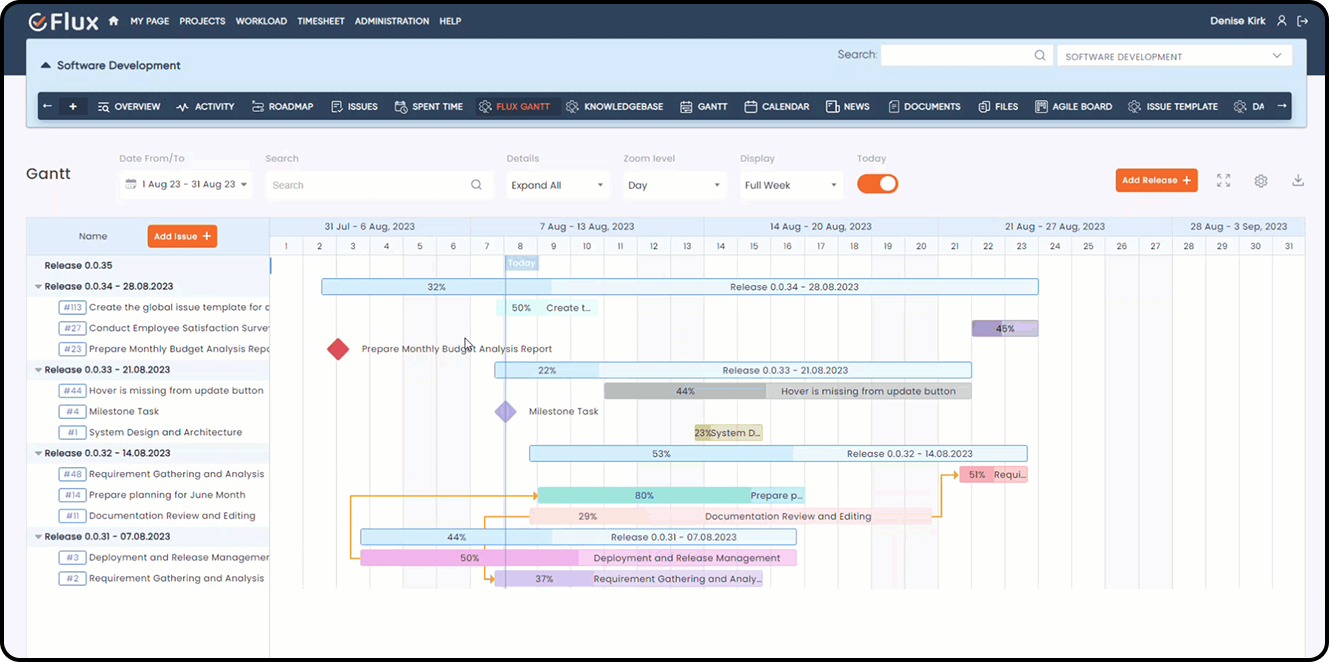
Gantt Chart Plugin Overview

When work spans milestones, dependencies, or fixed delivery dates, a board view is not enough. The Gantt Chart Plugin adds timeline planning, dependency management, baseline comparison, and schedule visibility to Redmine.

It is one of the best Redmine plugins for project managers who need both execution detail and schedule control. The board shows flow. The Gantt view shows time.

Use it when:

  • projects involve deadlines, dependencies, or milestone commitments
  • leadership needs visual schedule reporting
  • teams want to compare original plan versus current timeline

5. Dashboard Plugin — Best for Project Analytics and Stakeholder Reporting

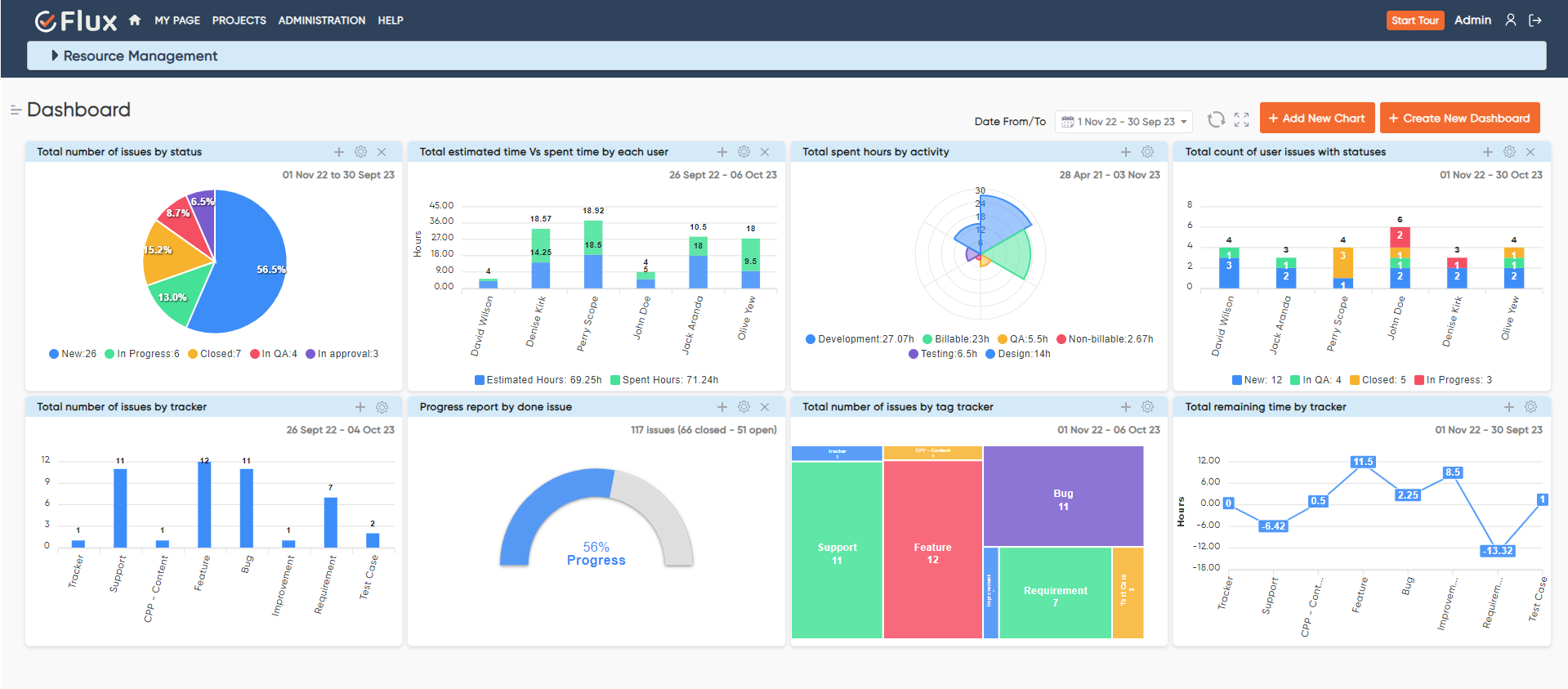
Dashboard Plugin Overview

Redmine stores a lot of data but does not always present it in a useful way for fast review. The Dashboard Plugin adds configurable chart widgets, drill-down issue access, public dashboard sharing, global and per-chart date filters, and auto-refresh.

This is especially useful for project managers, PMOs, delivery heads, and IT leaders who need one visual place to review project health. It reduces the need to jump across separate report screens or export data just to answer a status question.

Use it when:

  • teams want one dashboard instead of multiple Redmine reports
  • stakeholders need read-only visibility without full Redmine access
  • project health needs to be reviewed visually and quickly

6. Invoice Plugin — Best for Turning Logged Time into Client Billing

For teams that bill clients from work completed in Redmine, the Invoice Plugin is one of the most operationally useful additions available in 2026. It generates invoices directly from Redmine time entries, supports customer records, billing rates, invoice templates, Draft to Sent to Paid lifecycle tracking, and Stripe payment links.

Its biggest value is removing the gap between logged work and invoice generation. Time is already in Redmine. This plugin turns that time into billable output without rebuilding it in another system.

Use it when:

  • invoicing still happens in spreadsheets or separate billing tools
  • hourly project work needs better traceability
  • finance teams want billing visibility without leaving Redmine

7. Knowledge Base Plugin — Best for Internal Documentation Inside Redmine

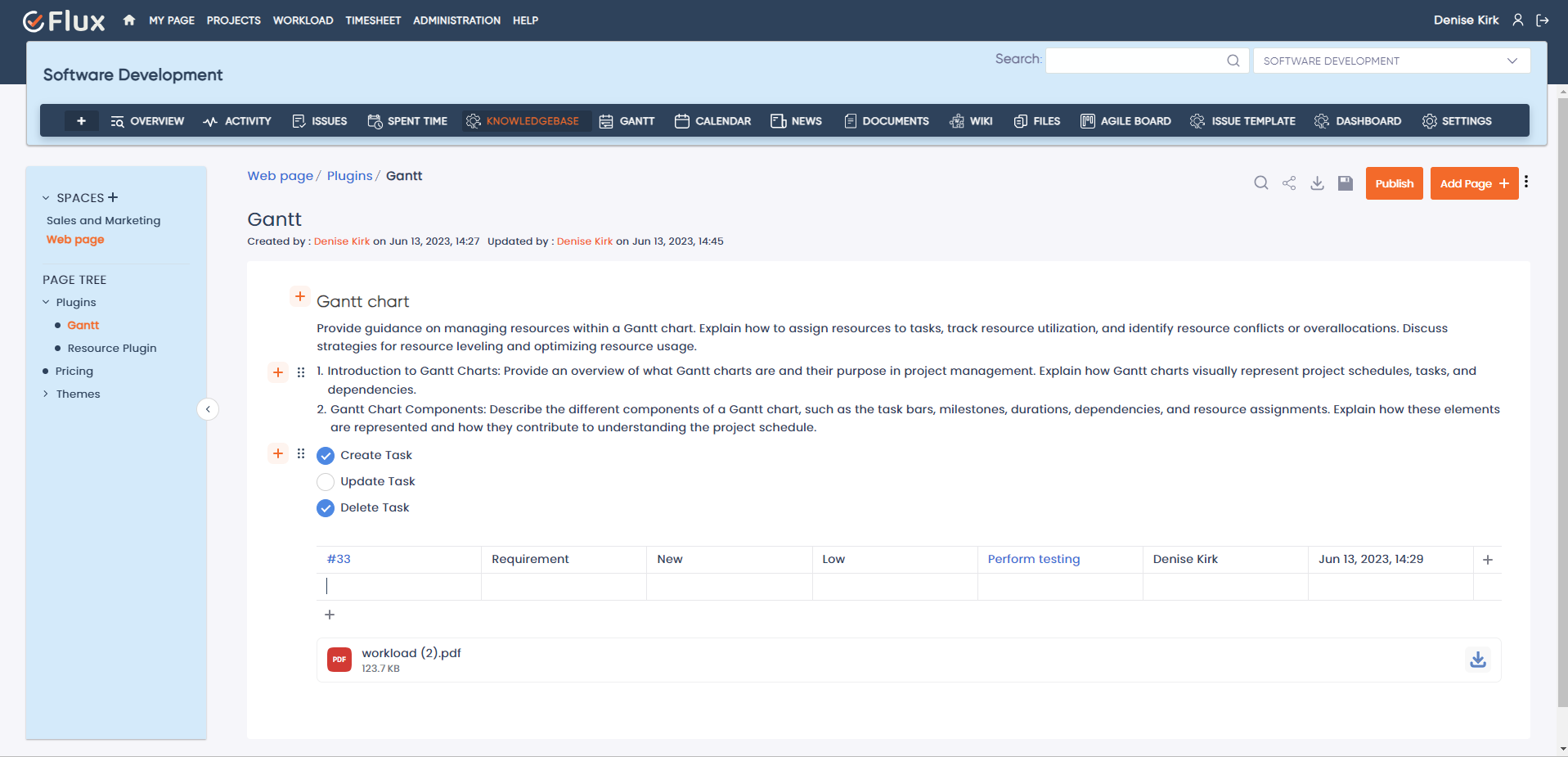
Knowledge Base Plugin Dashboard

Teams that run delivery in Redmine often keep documentation somewhere else — shared drives, Google Docs, Notion, or email threads. That split creates friction. The Knowledge Base Plugin brings documentation back into the same workspace as the issues and projects it supports.

It is a strong fit for internal SOPs, project runbooks, onboarding documentation, and reusable technical notes. Instead of treating documentation as a separate system, the plugin keeps it connected to the projects and work it explains.

Use it when:

  • documentation is fragmented across multiple tools
  • onboarding depends on tribal knowledge
  • teams want SOPs, technical notes, and project documentation inside Redmine

8. Test Case Management Plugin — Best for QA Workflow in Redmine

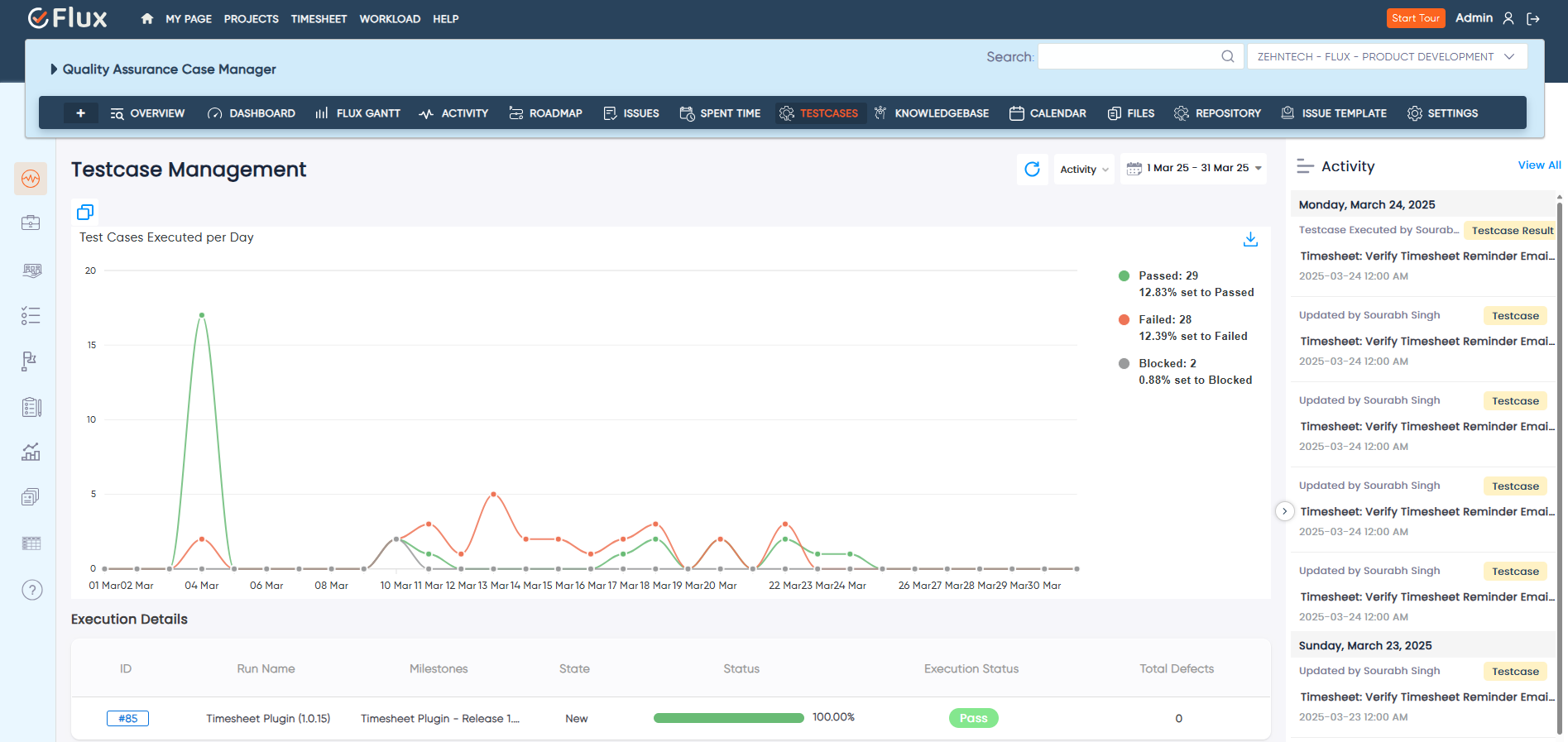
Test Case Management Plugin Dashboard

Development teams that already track issues in Redmine often struggle when QA lives elsewhere. The Test Case Management Plugin adds structured test case management, execution tracking, and QA workflow directly inside Redmine.

This is one of the best Redmine plugins in 2026 for teams that want issue tracking and quality management in one environment. It is particularly relevant for product teams, QA leads, and regulated environments where traceability matters.

Use it when:

  • QA still runs in spreadsheets or separate testing tools
  • release readiness depends on clearer test execution visibility
  • teams need stronger links between issues, tests, and delivery quality

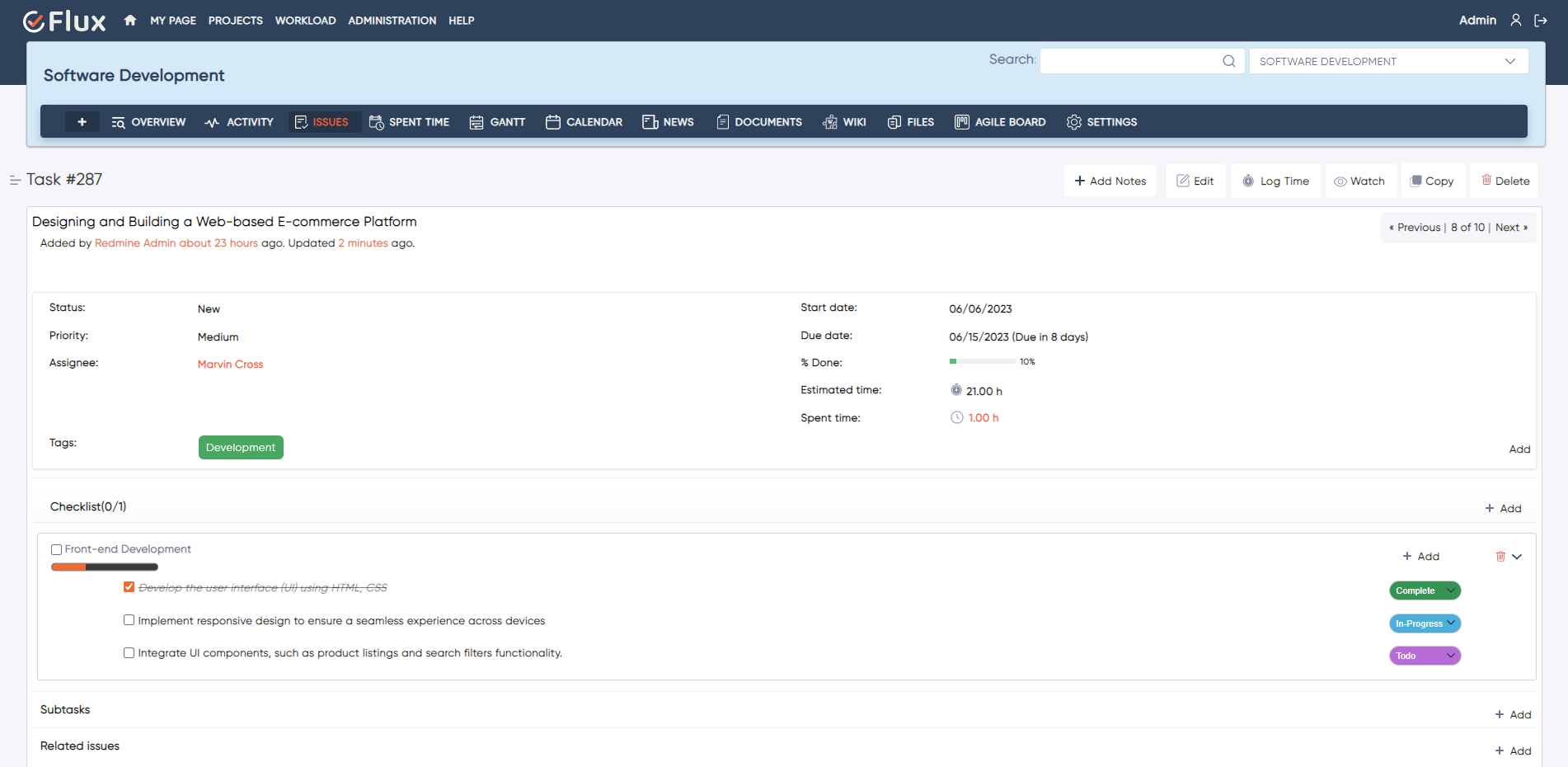
9. Checklist Plugin — Best for Definition-of-Done and Process Enforcement

Checklist Plugin - Enforce Completion

Small workflow misses create disproportionate project risk. A task looks done, but a required review, document, test, or signoff never happened. The Checklist Plugin helps teams enforce repeatable completion standards at the issue level.

This is a deceptively high-value plugin. It does not try to become a large reporting tool. It improves consistency where it matters most: the moment a team says a piece of work is complete.

Use it when:

  • tasks close before all required steps are actually finished
  • teams need stronger definition-of-done enforcement
  • recurring process misses create avoidable delivery quality problems

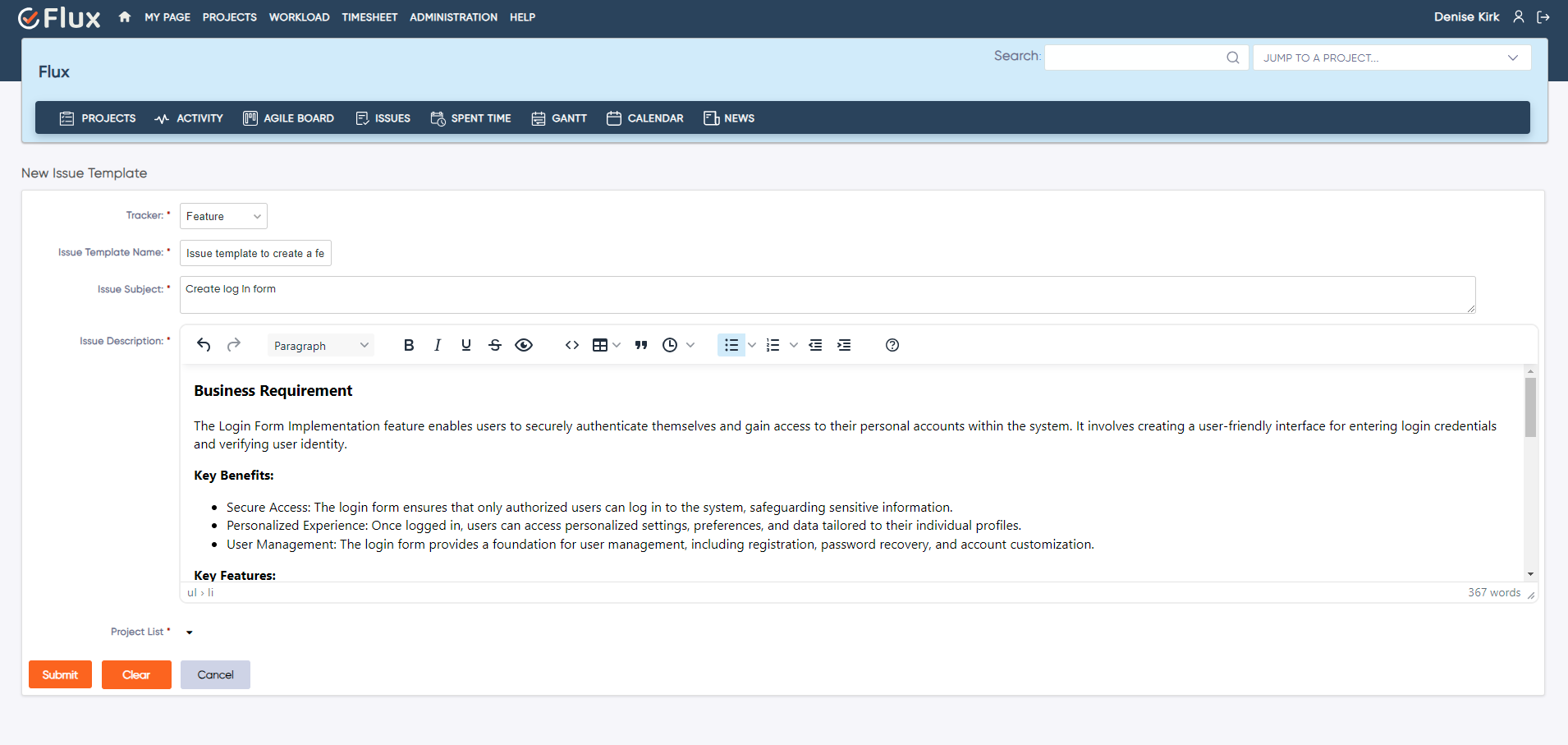
10. Issue Template Plugin — Best for Standardizing Repetitive Work Intake

Issue Template Plugin - Reusable Templates

Many Redmine environments suffer from inconsistent issue quality. Some tickets are detailed. Some are nearly empty. Important fields are missed, which leads to clarification loops later. The Issue Template Plugin solves that by standardizing how issues are created.

This is one of the best Redmine plugins for teams with recurring ticket types: bugs, support requests, onboarding tasks, change requests, audits, test cases, or internal service workflows. It improves issue quality at the point of creation, where the cost of inconsistency is lowest.

Use it when:

  • teams create the same types of issues repeatedly
  • missing details delay handoffs and execution
  • project managers want more consistent work intake

Which Redmine Plugins Should Most Teams Start With

Not every team needs every plugin. The best starting stack depends on the operational problem you are solving first.

Development teams running agile delivery, the strongest starting combination is usually:

  • Agile Board Plugin
  • Timesheet Plugin
  • Workload Plugin
  • Gantt Chart Plugin

Service teams and client-billable work, a stronger starting combination is:

  • Timesheet Plugin
  • Invoice Plugin
  • Dashboard Plugin

Teams focused on process quality and documentation, the best initial layer is often:

  • Knowledge Base Plugin
  • Checklist Plugin
  • Issue Template Plugin

The practical approach is to start with the plugin that removes the biggest current bottleneck, then expand into the rest of the suite as the workflow matures.

Why a Unified Plugin Suite Usually Wins Over Random Add-Ons

The biggest hidden cost in plugin-heavy Redmine environments is not licensing. It is fragmentation. One plugin stores data one way, another uses a separate interface model, and a third introduces a workflow that does not match the rest of the system.

That is why cohesive plugin suites tend to outperform random add-ons over time. When plugins share the same issue base, role model, project structure, and workflow assumptions, the result is less duplication and less administrative overhead. Teams keep their data in one place. Managers get clearer visibility. Reporting becomes more reliable because the workflow is unified rather than stitched together.

That is also why many teams move from one-off plugin installation toward packs or managed Redmine environments once they see which workflows matter most.

Frequently Asked Questions

1. What is the best Redmine plugin for agile project management?

For teams running Kanban or Scrum inside Redmine, the Agile Board Plugin is usually the most important upgrade. It adds visual boards, sprint planning, backlog management, WIP limits, and a Global Agile Board without forcing teams into a separate tool.

2. Which Redmine plugin is best for time tracking and billing?

For governed time tracking, start with the Timesheet Plugin. For client billing built from logged hours, add the Invoice Plugin. Together, they create a cleaner path from time capture to invoicing.

3. Do I need separate plugins for workload planning and dashboards?

Usually, yes. Workload planning and analytics solve different problems. The Workload Plugin helps teams plan capacity and assignments. The Dashboard Plugin helps stakeholders review project data visually across charts and summary views.

4. Are Redmine plugins still worth investing in during 2026?

Yes, especially for teams that want to keep Redmine as their system of record. The right plugins let teams add agile planning, QA, billing, dashboards, and documentation without migrating to a more expensive SaaS platform or spreading delivery work across multiple disconnected tools.

5. Should I install plugins one by one or choose a plugin pack?

If you are solving one immediate workflow gap, start with one plugin. If your team already knows it needs multiple layers — agile planning, time governance, workload visibility, and reporting — a pack is usually the cleaner long-term choice because the plugins are intended to work together.

Redmine becomes much more capable when the plugin layer matches the way your team actually works. The best Redmine plugins in 2026 are the ones that remove friction, improve visibility, and keep operational data inside one structured workspace.

If you are evaluating which plugins to install first, start with the workflow bottleneck that costs your team the most time today. Then build from there.

Explore Redmineflux Plugins | Get Free Demo | Explore Managed Cloud